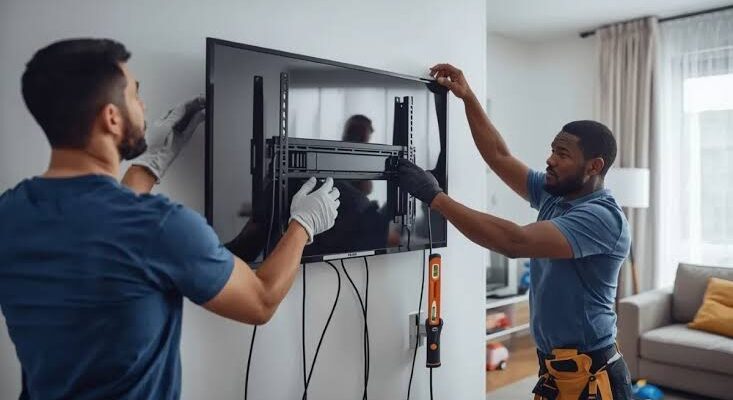
Moving to a new home can be exciting, but transporting a large flat-screen television requires more care than many people expect. Modern TVs are thin, lightweight compared with older sets, and designed with increasingly delicate display panels. A small amount of pressure, an accidental impact, or poor packing can potentially turn a working television into an expensive repair.
Whether you are moving across Saskatoon or relocating to another city, preparing the television properly can significantly reduce the risk of damage. The safest approach is to plan the move before disconnecting the TV, use suitable protective materials, have enough people available to lift it, and keep the television secure throughout transportation.
Manufacturers also emphasize careful handling. Samsung, for example, advises disconnecting power and other cables before moving a television and recommends using multiple people when handling larger models. Sony’s setup guidance similarly shows televisions being lifted by the frame rather than by pressing on the screen.
Here are the best practices to follow.
1. Plan the Move Before Removing the TV
Before touching the television, think through the entire route.
Measure doorways, stairways, elevators, hallways, and the space inside the moving vehicle. A large 65-, 75-, or 85-inch TV can be surprisingly difficult to maneuver through tight spaces.
Look for potential obstacles such as:
- Narrow doorways
- Sharp corners
- Stair railings
- Furniture
- Low ceilings
- Uneven flooring
- Other boxes
- Vehicle doors or tailgates
Clear the route before lifting the television.
This prevents situations where someone is carrying a TV while another person has to suddenly move furniture or open a door. A clear path also reduces the chance of dropping or striking the screen.
2. Take a Photo Before Disconnecting Everything
Before removing cables, take a few pictures of the back of the TV and connected equipment.
Photograph:
- HDMI connections
- Power cable
- Ethernet cable
- Optical audio cable
- Antenna connection
- Streaming devices
- Soundbar connections
This simple step can make setup much easier at the new home.
It also helps you remember which device was connected to each HDMI port.
If the television is wall-mounted, take pictures of the mounting arrangement before removing it. Keep screws and mounting hardware together in a labelled bag.
3. Let the TV Cool Down
If the television has been operating for several hours, allow it to cool before packing it.
Disconnect the power and give the TV enough time to reach a safe handling temperature.
This is particularly sensible when moving electronics immediately after watching TV for an extended period. The back and internal components can become warm during normal operation.
Never rush the packing process simply because the moving truck is waiting.
4. Disconnect All Cables Carefully
Remove cables by holding the connector rather than pulling on the cable itself.
This is especially important for HDMI, USB, optical, and other small connectors.
Pulling sharply can damage:
- Cable connectors
- HDMI ports
- USB ports
- Internal sockets
- Cable insulation
Once disconnected, place the cables in a labelled bag.
Avoid leaving cables attached to the television while carrying it. A cable can catch on furniture or a doorway and pull on the TV unexpectedly.
Samsung specifically recommends disconnecting power cords and other wires before moving a television.
5. Remove the TV Stand
If the TV uses a table-top stand, remove it before transportation when the manufacturer’s instructions allow it.
A protruding stand can make the television harder to pack and maneuver.
Place the screws and stand components into a labelled bag and keep them with the TV accessories.
Do not place heavy objects on top of the television simply because the stand has been removed.
The screen remains the most vulnerable part of the television.
6. Use the Original TV Box If You Still Have It
The original packaging is usually the best option for moving a television because it was designed around the dimensions and shape of that particular model.
Original packaging may include:
- Foam supports
- Corner protection
- Cardboard inserts
- Screen protection
- Plastic wrapping
- Correctly sized outer cardboard
If you still have the original box, keep it for future moves whenever possible.
Samsung’s TV packing guidance recommends protective materials such as corrugated cardboard, bubble wrap, separators, foam, and other cushioning materials when preparing a television for transport.
If you do not have the original box, you can create protective packaging using suitable moving materials.
7. Protect the Screen Without Pressing Against It
The display panel requires special attention.
Use a clean, soft protective layer over the screen, followed by appropriate external padding.
The goal is to protect the surface from scratches and impacts without creating concentrated pressure points.
Avoid placing tape directly on the display surface.
Also avoid wrapping the television so tightly that straps, rope, or padding press heavily against the screen.
Modern displays can be damaged by excessive pressure. Samsung’s handling guidance warns against pressing, hitting, or applying excessive force to the screen.
8. Protect the Corners
The corners of a television can be vulnerable during a move.
Use foam or suitable corner protectors around the edges before adding outer wrapping.
The purpose is not simply to prevent scratches. Corner protection can help reduce the impact if the TV accidentally touches a doorway, wall, or another object.
If you are using cardboard sheets, make sure the material extends beyond the screen’s vulnerable edges without pressing directly against the panel.
9. Never Lift the TV by the Screen
This is one of the most important rules.
When carrying a large TV, do not grab the middle of the screen or place your fingers against the display surface.
Instead, follow the manufacturer’s recommended handling points and support the TV from its frame or designated handles where provided.
Sony setup instructions illustrate lifting a television by the frame rather than pressing on the screen.
For large televisions, use two people or more as appropriate for the model and weight. Samsung also recommends two people for moving TVs and more people for particularly large models.
Never attempt to carry a very large television alone just because it appears lightweight.
10. Keep the TV Upright When Possible
For many modern flat-screen televisions, transporting the set upright is the safer general approach unless the manufacturer’s instructions specifically say otherwise.
An upright position reduces the chance of placing excessive weight or pressure across the panel.
Samsung’s support guidance specifically tells users to keep the TV upright during unpacking and handling.
There can be model-specific exceptions, so always follow the instructions supplied with your television.
If the original packaging includes a clear orientation marking, follow it.
11. Don’t Place Heavy Boxes on the TV
Never use your television as a shelf inside the moving vehicle.
Boxes containing books, tools, dishes, appliances, or other heavy items can create pressure or impact.
Even if the TV is wrapped in blankets, a heavy object placed against the screen can cause damage.
Keep the television in its own protected area.
Ideally, nothing should be leaning against the display.
12. Secure the TV Inside the Vehicle
A properly packed TV can still be damaged if it slides around during transportation.
Secure it so that it cannot:
- Tip over
- Slide sideways
- Fall forward
- Hit other objects
- Be crushed by boxes
Use appropriate restraints around the packaging or frame rather than placing straps directly across the screen.
Do not overtighten straps.
A restraint should keep the TV stable without putting excessive pressure on the panel.
Drive carefully around corners, speed bumps, potholes, and sudden stops.
A moving truck can create much more force than someone carrying the television by hand.
13. Avoid Placing the TV Where It Can Fall
Do not place the television in an unstable position simply because there is limited space.
Samsung’s safety guidance warns against unstable placement and emphasizes using suitable support for televisions.
During a move, this means avoiding arrangements where the TV can tip when the vehicle turns or brakes.
If you are transporting the TV without its original packaging, create a stable protected area where it cannot move freely.
14. Protect the TV From Extreme Temperatures
Saskatoon weather can make this particularly important.
Moving a television during very cold winter conditions exposes the device to a major temperature change when it enters a heated home.
Condensation can form when cold electronics are brought into a warmer environment.
Samsung’s product guidance advises allowing a television transported in cold temperatures to reach room temperature before use, with one guide recommending approximately two hours.
The exact waiting time can depend on the temperature difference and the manufacturer’s instructions.
The safest approach is simple: do not immediately plug in a very cold TV after bringing it indoors.
Let it acclimate fully before turning it on.
15. Keep Moisture Away
Rain, snow, condensation, and moving-day spills can all create problems for electronics.
Never transport the TV uncovered in wet weather.
If you’re moving during snowfall or rain, make sure the outer packaging is protected from moisture.
Do not place a television directly on wet ground or a damp truck floor.
If the TV becomes wet, do not plug it in until it has been properly assessed and is completely dry. Samsung’s safety guidance warns against exposing televisions to water, rain, moisture, dripping, or splashing.
16. Don’t Put Moving Tape Directly on the TV
Packing tape should not be placed directly on the screen or finished surfaces.
Adhesive can leave residue or potentially damage certain coatings.
Instead, secure protective materials around the television itself.
If tape is necessary, use it on the outer packaging rather than the TV.
This is especially important for glossy screens and delicate surfaces.
17. Keep Accessories Separate
Place the remote, power cable, stand, screws, manuals, and other accessories in a clearly labelled box.
Do not throw them loosely into the same space as the TV.
A missing stand screw may seem minor, but it can delay installation at the new home.
Keep small hardware in sealed bags and label each bag according to the television.
If you have multiple TVs, label each set of accessories separately.
18. Let the TV Acclimate Before Testing It
Once the television reaches the new home, don’t immediately rush to unpack and power it on if it has been exposed to cold temperatures.
Allow it to reach room temperature first.
Then inspect it carefully before connecting power.
Look for:
- Cracks
- Scratches
- Bent frame
- Loose components
- Damaged ports
- Broken stand
- Signs of moisture
- Packaging impact marks
If the screen appears damaged, photograph it before removing all packaging.
If the television was professionally transported, this documentation can also be useful if there is a dispute about damage.
19. Test the TV Before Completing the Move
If possible, test the television soon after it has been safely installed.
Check:
- Power
- Picture
- Sound
- HDMI inputs
- Wi-Fi
- Remote control
- Built-in apps
- External devices
Testing the TV shortly after moving gives you a clear indication of whether it survived transportation properly.
If the television develops a black screen, lines, flickering, unusual colours, or other problems after the move, don’t assume the problem is simply a software issue.
Physical movement can sometimes expose a pre-existing weakness or cause damage to a connection or display component.
What If the TV Is Damaged During a Move?
Sometimes accidents happen despite careful preparation.
If the TV has:
- A cracked screen
- Visible impact damage
- No power
- Flickering picture
- Vertical or horizontal lines
- A black screen
- Distorted colours
- Damaged HDMI ports
- Strange sounds
Stop using it if there is visible physical or electrical damage.
Do not repeatedly power it on to see whether it will eventually work.
A professional inspection can help determine whether the problem involves the panel, power supply, main board, backlight, T-CON, or another component.
For Saskatoon residents looking for TV repair Saskatoon, a professional diagnosis can help determine whether moving-related damage is repairable or whether replacement is more practical.
Is a Cracked TV Always Repairable?
Unfortunately, a physically cracked display panel is often one of the most difficult TV problems to justify repairing.
A television can sometimes have display symptoms without having a physically cracked panel. For example, lines, flickering, or a black screen can be caused by boards, backlights, or internal connections.
That is why diagnosis matters.
If the panel itself is visibly cracked, however, the repair may involve replacing the entire display assembly, which can be expensive depending on the TV model and part availability.
A Simple Moving-Day Checklist
Before leaving your old home:
- Turn off and unplug the TV.
- Disconnect all cables carefully.
- Remove the stand if appropriate.
- Photograph the connections.
- Keep screws and accessories together.
- Use the original packaging if available.
- Protect the screen and corners.
- Use enough people to lift the TV safely.
- Keep the TV stable during transport.
- Protect it from moisture.
- Avoid extreme temperature exposure.
- Do not place heavy items against it.
At the new home:
- Move the TV carefully.
- Inspect the packaging.
- Allow a cold TV to reach room temperature.
- Check for physical damage.
- Install it on a suitable stand or mount.
- Reconnect cables carefully.
- Test picture and sound.
Final Thoughts
A television can be one of the more delicate items to move, especially when it has a large modern display panel. The biggest risks are usually impact, pressure, poor lifting technique, unstable transportation, moisture, and sudden temperature changes.
The best protection starts before moving day. Use the original box whenever possible, protect the screen without applying pressure, lift the television from the frame, use enough people, keep it stable in the vehicle, and follow the manufacturer’s handling instructions.
For Saskatoon moves, winter temperatures deserve particular attention. A cold television should be allowed to reach room temperature before being powered on, helping reduce the risk associated with condensation.
Taking a little extra time to pack and transport the TV properly can save considerably more time and money than dealing with a damaged display after the move. When in doubt, treat the screen as fragile, follow the manufacturer’s instructions, and never sacrifice safe handling just to move the television faster.