A home theater system can turn an ordinary living room into an enjoyable entertainment space. Whether you use it to watch movies, listen to music, play video games, or enjoy television, a reliable audio system makes a significant difference. However, when the speakers stop working, the receiver fails to turn on, or the sound becomes distorted, your entertainment experience can quickly become frustrating.
The good news is that many home theater problems can be diagnosed and repaired without replacing the entire system. Sometimes, the issue is as simple as a loose cable or incorrect audio setting. In other cases, a damaged speaker, faulty amplifier, or internal electronic problem may require professional attention.
If you are considering home theater system repairs in Saskatoon, understanding the repair process can help you prepare, ask the right questions, and make an informed decision.
This guide explains common home theater problems, what happens during a repair appointment, which factors influence repair costs, and how to decide whether repairing your equipment is worthwhile.
1. What Are Home Theater System Repairs?
Home theater system repairs involve identifying and correcting faults that affect the performance of your audio and entertainment equipment.
A typical setup may include several components:
- An AV receiver or amplifier
- Front, centre, and surround speakers
- A subwoofer for low-frequency sound
- A television or projector
- HDMI and audio cables
- Streaming devices, gaming consoles, or media players
- Wireless speakers or a soundbar
Because these components work together, a problem with one device can affect the entire system.
For example, a receiver may power on normally while producing no sound. A television may display a picture but fail to send audio through the connected speakers. Alternatively, a subwoofer may stop working while the other speakers continue playing.
The purpose of a repair assessment is to identify the actual cause rather than replace equipment unnecessarily.
Depending on the problem, the solution may involve correcting a connection, adjusting settings, replacing a damaged cable, repairing a component, or recommending a replacement when repair is not practical.
2. Common Home Theater Problems That Need Repair
Understanding the symptoms can help you explain the problem clearly when arranging a repair.
No Sound From the Speakers
A home theater system may turn on without producing any sound. This can happen because the receiver is muted, the wrong input is selected, a cable is loose, or the television is using an incorrect audio output setting.
If basic checks do not solve the issue, the fault could involve the receiver, amplifier, or another component in the audio signal path.
Crackling, Buzzing, or Distorted Audio
Crackling and buzzing can result from damaged cables, loose connections, electrical interference, or faulty speaker components.
Distortion that occurs mainly at high volume may indicate that the amplifier or speakers are being pushed beyond their capabilities. Persistent distortion at moderate volume deserves further investigation.
One or More Speakers Have Stopped Working
If only one speaker is silent, the cause could be a damaged cable, incorrect channel setting, faulty speaker, or problem with the corresponding amplifier channel.
A technician can test the system to determine which component is responsible.
The Subwoofer Produces No Bass
A silent subwoofer may have a power problem, an incorrect connection, unsuitable receiver settings, or a fault in its internal amplifier.
The issue is not always a damaged subwoofer. Checking the signal path and configuration can help narrow down the cause.
The Receiver Will Not Turn On
A receiver that shows no signs of power may have a loose power cable, a problem with the electrical outlet, or an internal power supply fault.
If the equipment remains unresponsive after safe external checks, professional assessment may be necessary.
HDMI or Television Audio Problems
Some home theater systems experience problems when connecting a television, streaming device, or gaming console.
Possible causes include a faulty HDMI cable, an incorrect input selection, incompatible audio settings, or communication problems involving HDMI ARC or eARC.
These issues can sometimes be resolved through configuration changes rather than hardware repairs.
3. What Happens During a Home Theater Repair Assessment?
A professional repair process usually begins with gathering information and checking the equipment before any repair work is recommended.
Although the exact procedure depends on the system and the problem, you can generally expect the following stages.
Step 1: Discuss the Problem
The technician may ask what is happening, when the issue started, and whether it affects the entire system or only one component.
Useful information includes whether the receiver turns on, whether the speakers produce any sound, and whether the problem occurs with every connected device.
If the system has displayed an error message or shut down unexpectedly, mention that as well.
Step 2: Inspect the Equipment and Connections
The next stage may involve checking accessible cables, speaker connections, power connections, input settings, and other external components.
For example, if the centre speaker is silent, the technician may check its connection and channel configuration before assuming that the speaker has failed.
This step helps identify straightforward issues before more extensive testing is considered.
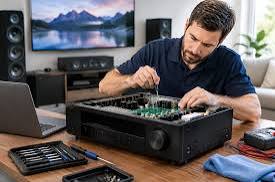
Step 3: Test Individual Components
If the cause is not immediately obvious, the technician may test the receiver, speakers, subwoofer, and connected sources separately.
A receiver’s test-tone function, when available, can help determine whether individual speaker channels are working.
Testing different audio sources can also help establish whether the problem originates in the television, streaming device, receiver, or speakers.
Step 4: Identify the Likely Fault
Once the relevant checks are complete, the technician can explain the likely cause and whether further testing is necessary.
Some faults can be identified quickly, while intermittent problems or internal electronic failures may require more detailed diagnosis.
Step 5: Explain the Repair Options
Before authorising repair work, ask for an explanation of the proposed solution and its expected cost.
Depending on the fault, the options may include replacing a cable, repairing a speaker, servicing a receiver, replacing a component, or considering a new device.
A clear assessment helps you decide which option best suits your equipment and budget.
4. How Much Do Home Theater Repairs Cost?
The cost of home theater repairs varies considerably. There is no single price that applies to every system because the required work depends on the equipment, the fault, and the availability of replacement parts.
A simple connection issue may require little more than troubleshooting, while an internal receiver fault can involve more extensive labour and testing.
Several factors influence the final cost.
Type of equipment: Repairing a basic speaker may involve different work from diagnosing a complex AV receiver or powered subwoofer.
Severity of the fault: A damaged cable is generally simpler to address than a failed internal electronic component.
Parts availability: Older or discontinued models may be more difficult to repair if compatible parts are unavailable.
Diagnostic requirements: Intermittent faults can take longer to identify than problems with an obvious cause.
Labour and service arrangements: Costs may vary depending on whether the equipment is inspected at a workshop or requires an on-site visit.
When requesting an estimate, ask whether the diagnostic fee is separate from the repair charge. Also confirm whether parts, labour, transportation, and applicable taxes are included.
Avoid choosing a repair service based only on the lowest advertised price. A clear explanation of the work, realistic expectations, and transparent charges are also important.
5. Should You Repair or Replace Your Home Theater System?
Repairing an existing system can be a sensible option, particularly when most of the equipment still works well.
However, replacement may be more practical when the system is very old, extensively damaged, or difficult to repair economically.
Consider the following factors before making a decision.
The Age and Condition of the Equipment
A relatively recent receiver with a single repairable fault may be worth keeping. An older system with several failing components may require more investment over time.
The Cost of the Repair
Compare the written repair estimate with the cost of a suitable replacement. Consider whether the repaired system is likely to meet your needs for the foreseeable future.
Availability of Replacement Parts
Some manufacturers continue supporting older models, while parts for discontinued equipment may be difficult to obtain.
Ask whether the required components are available before committing to extensive repair work.
Your Existing Setup
If you already own good-quality speakers, replacing one faulty receiver may be more economical than purchasing an entirely new home theater package.
Likewise, replacing one damaged speaker may make sense when the rest of the system remains in good condition.
The best decision depends on the actual fault, the repair estimate, and your long-term requirements.
6. What Can You Check Before Booking a Repair?
You can perform several simple checks before contacting a technician. These may resolve minor problems and provide useful information for diagnosis.
Check the Power Supply
Make sure the equipment is connected securely to a working electrical outlet. If you use a power strip, check that it is switched on and functioning correctly.
Do not use a damaged cable or an outlet showing signs of overheating or electrical damage.
Confirm the Correct Input
Ensure that the receiver is set to the input connected to your television, streaming device, or other audio source.
Selecting the wrong input can make a fully functioning system appear broken.
Check the Volume and Mute Settings
Confirm that the receiver is not muted and that the volume is set appropriately.
Check the television and source device as well, since their audio settings can affect playback.
Inspect Accessible Cables
With the equipment switched off, look for loose connections, visibly damaged wires, or HDMI cables that have become disconnected.
Replace damaged cables with suitable alternatives.
Test Another Source
Try playing audio from another connected device if possible.
If the system works with one source but not another, the problem may be related to the original device, its settings, or the connection between components.
These checks should remain external and straightforward. Do not open a receiver or amplifier, bypass protective circuits, or attempt internal electrical repairs.
7. How to Choose a Home Theater Repair Service in Saskatoon
Choosing the right repair provider can make the process easier and help you avoid unnecessary expenses.
When comparing options in Saskatoon, consider the following points.
Experience with audio equipment: Ask whether the provider has experience with receivers, amplifiers, speakers, subwoofers, and home theater connections.
Clear diagnostic process: A reliable provider should explain how the fault will be investigated and what information is needed.
Transparent estimates: Ask for the expected diagnostic fee and a repair estimate before approving additional work.
Warranty information: Find out whether repaired parts and labour are covered by any service warranty, and request the terms in writing.
Communication: Choose a provider that explains the problem in understandable language and discusses repair options without pressuring you into an immediate purchase.
Service arrangements: Confirm whether the equipment must be brought in or whether an on-site appointment is available. Do not assume that every provider offers both options.
For homeowners researching audio repair Saskatoon, comparing these details can help identify a suitable service for the specific equipment and problem.
You can also visit the audio repair service page to learn more about audio-related repair options.
8. How to Prepare Your Equipment for a Repair Appointment
Preparing a little information beforehand can make diagnosis more efficient.
Before contacting a repair provider, gather the following details:
- The brand and model number of the receiver or speaker.
- A short description of the problem.
- When the issue first appeared.
- Any error messages or indicator lights.
- Whether the problem occurs with every audio source.
- Any recent changes to the connections or equipment.
- Available purchase and warranty information.
If the system produces an intermittent problem, explain when it happens. For example, the receiver might shut down after playing for 20 minutes, or the rear speakers may stop working when a particular input is selected.
These details can help the technician understand the symptoms.
If you need to transport equipment, disconnect it carefully and follow the manufacturer’s handling instructions. Protect loose connectors and avoid placing heavy objects on speakers or receivers.
For a large or permanently installed setup, ask the service provider how the equipment should be prepared before moving anything.
9. How to Protect Your Home Theater System After Repair
Once your equipment has been repaired, regular maintenance can help keep it working properly.
Keep equipment ventilated: Receivers and amplifiers generate heat. Leave sufficient space around ventilation openings and avoid placing equipment inside tightly enclosed cabinets without suitable airflow.
Organise cables carefully: Avoid pinching wires under furniture or bending HDMI cables sharply.
Keep liquids away: Spills can damage speakers, connections, and electronic components.
Use suitable power protection: Follow the manufacturer’s recommendations for electrical protection, especially in areas where power interruptions or surges occur.
Clean regularly: Remove exterior dust with an appropriate dry or manufacturer-approved cleaning method.
Avoid excessive volume: Playing audio at very high levels for extended periods can place unnecessary strain on speakers and amplifiers.
Address warning signs early: Repeated shutdowns, persistent distortion, unusual heat, or burning smells should not be ignored.
If the equipment develops another problem, investigate it promptly rather than continuing to use a potentially faulty system.
Conclusion
Home theater system repairs can restore sound quality, improve reliability, and help you avoid replacing equipment unnecessarily. Common problems include silent speakers, distorted audio, receiver power failures, subwoofer issues, and HDMI connection faults.
The repair process generally involves discussing the symptoms, inspecting the equipment, testing individual components, identifying the cause, and explaining the available options.
Before arranging service, check the basic settings and accessible connections. If the problem continues, a professional assessment can help determine whether repair or replacement is the better choice.
For homeowners in Saskatoon, comparing repair experience, diagnostic procedures, estimates, and warranty terms can make it easier to choose an appropriate service. With the right diagnosis and proper maintenance, your home theater system may continue providing enjoyable entertainment for years.
Frequently Asked Questions
1. What are the most common home theater system problems?
Common problems include no sound, distorted audio, silent speakers, receiver power failures, subwoofer issues, and HDMI connection problems. Some are caused by incorrect settings or loose cables, while others require professional repair.
2. How long does a home theater system repair take?
The time depends on the fault, equipment type, testing required, and availability of replacement parts. A simple connection issue may be resolved quickly, while an internal receiver problem may require additional diagnosis and repair time.
3. Is it worth repairing a home theater receiver?
It may be worthwhile if the receiver is in good condition and the repair cost is reasonable compared with replacement. Consider its age, features, parts availability, and the cost of a suitable alternative.
4. Why is my home theater system on but producing no sound?
Possible causes include mute settings, the wrong input, incorrect television audio output, loose cables, or a faulty receiver channel. Check the basic settings and connections before assuming that a component has failed.
5. Can a single speaker be repaired instead of replaced?
Yes, depending on the type of damage and the availability of replacement components. A technician can assess whether the speaker can be repaired economically or whether replacement is more practical.
6. Why does my home theater receiver keep shutting down?
Possible causes include overheating, a speaker-wire short, incompatible speaker connections, or an internal fault. If the receiver repeatedly shuts down, stop using it until the cause has been identified. Never bypass its protection circuitry.
7. Do I need to bring my entire home theater system for repair?
Not necessarily. The required equipment depends on the fault and the service provider’s process. Ask which components are needed for diagnosis before disconnecting or transporting your setup.
8. What should I ask before approving a home theater repair?
Ask about the diagnosis, estimated labour and parts costs, repair time, replacement-part availability, and any warranty on the completed work. Confirm whether additional work will require your approval.
9. How can I prevent future home theater problems?
Keep equipment ventilated, protect it from moisture, use suitable cables, avoid excessive volume, and follow the manufacturer’s cleaning and maintenance instructions. Investigate unusual noises and repeated shutdowns promptly.
10. Where can I find audio repair assistance in Saskatoon?
Start by comparing local repair providers and checking their experience with your equipment. Ask about their diagnostic process, estimated costs, service arrangements, and warranty terms before choosing a provider.
SEO Details
SEO Title: Home Theater System Repairs: What to Expect
Meta Description: Learn what to expect from home theater system repairs in Saskatoon, including common faults, diagnostic steps, repair costs, and how to choose a repair service.
Suggested URL Slug: home-theater-system-repairs-what-to-expect
Target Location: Saskatoon, Saskatchewan, Canada
Helpful Reference
For additional troubleshooting guidance, see , which explains basic checks for sound problems, speaker connections, input settings, and receiver configuration.
Refine the home theater article