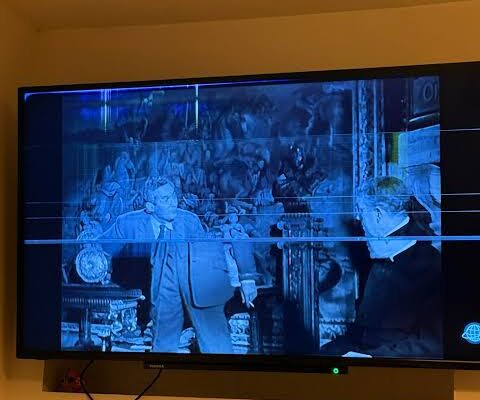
Few things are more frustrating than watching your favourite programme when the television suddenly freezes. The picture may stop moving, the sound might continue briefly, or the entire screen may become unresponsive. Sometimes the show resumes after a few seconds. In other cases, you may need to restart the television before it works again.
A television freezing during a show does not automatically mean that its hardware is failing. The cause could be a weak internet connection, a problematic streaming application, outdated software, limited system resources, overheating, or a faulty internal component.
For homeowners in Saskatoon, understanding these possibilities can help prevent unnecessary expenses and identify when professional assistance is needed. This guide explains the common reasons televisions freeze, how to troubleshoot the problem safely, and when to consider professional TV repair Saskatoon services.
1. A Weak or Unstable Internet Connection
One of the most common reasons a smart TV freezes during streaming is an unstable internet connection.
Streaming services continuously download video data while you watch. If the connection becomes slow or inconsistent, the television may struggle to receive enough information to play the programme smoothly. The picture may pause, buffering indicators may appear, or the video quality may suddenly decrease.
Several factors can affect your connection:
- The television is too far from the Wi-Fi router.
- Walls or other obstacles weaken the wireless signal.
- Several devices are using the network simultaneously.
- The router is experiencing temporary problems.
- Your internet service is experiencing an interruption.
- The streaming service is experiencing technical difficulties.
How to troubleshoot it
First, check whether other devices in your home are experiencing internet problems. If your phone, computer, and television all struggle to connect, the issue may be with your router or internet service rather than the TV.
Try restarting your router according to the manufacturer’s instructions. If possible, move the router to a more central location or connect the television through Ethernet when supported.
You can also test another streaming service. If one application freezes while others work normally, the issue may be related to that particular service or application.
2. A Streaming App Is Freezing or Crashing
Sometimes the internet connection is working correctly, but a particular application stops responding.
Streaming applications can experience temporary bugs, outdated software, corrupted cached data, or compatibility problems. These issues may cause a show to freeze even when other television functions remain responsive.
For example, you might notice that one streaming application repeatedly stops during playback while the television’s settings menu and other applications continue working normally.
This pattern can help narrow down the cause.
Try these steps:
- Exit the affected application and open it again.
- Check whether the application has an available update.
- Restart the television using the manufacturer’s recommended method.
- Check the application’s support information for known issues.
- If appropriate, clear the application’s cache or reinstall it.
Not every television offers the same app-management options. Follow the instructions for your model rather than searching for settings that may not be available.
Avoid performing a factory reset as your first step. A reset may erase saved settings, application data, and account information.
3. Outdated TV Software
Smart televisions rely on operating software to manage applications, process video, connect to networks, and control various functions.
If the software is outdated, certain applications may become less stable or encounter compatibility problems. An update may also contain bug fixes that improve performance.
However, an update is not guaranteed to resolve every freezing issue. A slow internet connection, defective component, or application-specific problem may still be responsible.
To check for updates, open your television’s settings menu and look for a software or system update section. The exact menu names depend on the brand and model.
Before installing an update, ensure that the television has a stable connection and follow the manufacturer’s instructions. Do not disconnect power while an update is being installed unless the manufacturer specifically instructs you to do so.
If the TV freezes during the update process or repeatedly fails to complete it, consult the manufacturer’s support guidance before attempting more advanced troubleshooting.
4. The Television Is Running Out of Available Resources
Like other smart devices, televisions have limited memory and processing resources. Applications, background processes, and system functions all depend on those resources.
On some models, performance may become less reliable when available resources are limited or when an application has a software problem. Symptoms can include slow menus, delayed remote responses, freezing, or applications closing unexpectedly.
This does not necessarily mean that the television is too old or permanently damaged.
Try closing unused applications if your model supports that feature. Restarting the television may also clear temporary problems. If the television allows you to remove applications you no longer use, doing so may help simplify its software environment.
Some models offer limited storage-management options, while others manage these resources automatically.
If the television repeatedly freezes even when using its menus or built-in functions, the problem may go beyond an individual application. Further diagnosis can help determine whether software or hardware is involved.
5. Overheating Can Affect TV Performance
Televisions generate heat during normal operation. Their internal designs include ventilation openings and, depending on the model, cooling systems that help manage operating temperatures.
If heat cannot escape effectively, the television may behave unpredictably or shut down to protect itself. Overheating is not the most likely explanation for every frozen show, but it is worth considering when freezing occurs alongside unusual warmth or repeated shutdowns.
Potential contributing factors include:
- Blocked ventilation openings.
- Heavy dust accumulation.
- An enclosed entertainment cabinet.
- Direct sunlight on the television.
- Nearby heaters or other heat sources.
- Internal cooling or electronic faults.
Check that the television has sufficient ventilation according to the manufacturer’s instructions. Keep its vents clear and avoid placing it in a cramped enclosure.
If the TV becomes unusually hot, repeatedly shuts down, or produces a burning smell, stop using it. Disconnect the power if it is safe to do so, and arrange appropriate professional assessment.
Do not open the television to clean internal components unless you have the necessary training.
6. HDMI Devices and External Connections
Not every frozen picture originates inside the television. A connected streaming box, cable receiver, gaming console, or other HDMI device can also cause playback problems.
For example, if the screen freezes only while watching through a cable box, the problem may involve that device, its software, the HDMI cable, or the television’s input connection.
Try switching to another input or using a built-in television application. If the built-in apps work normally but one connected device continues to freeze, investigate the external device first.
You can also try a known-working HDMI cable and check that all connections are secure.
Avoid repeatedly inserting or removing cables while equipment is powered if the manufacturer advises against it. Never force a connector into a port.
If the same HDMI port consistently fails with multiple known-working devices and cables, the port or associated internal circuitry may require inspection.
7. A Faulty Main Board or Other Internal Component
If the television freezes across different applications, inputs, and menus, a hardware issue becomes one possibility.
The main board handles important functions such as processing signals, managing connections, and coordinating software operations. Problems involving this board or other internal components may cause repeated freezing, restarts, or unpredictable behaviour.
However, similar symptoms can result from software faults, so freezing alone does not prove that a board has failed.
Other potential hardware issues may involve the power supply or internal connections. A technician may need to test the television to identify the actual cause.
Internal repairs should not be attempted casually. Televisions can contain components that retain dangerous electrical energy even after they have been unplugged.
If basic troubleshooting has not helped, a professional assessment can determine whether a component repair is practical and cost-effective.
8. The TV Freezes Only After Watching for a While
Does your television work normally at first but freeze after 30 minutes or an hour?
The timing of the problem can provide useful clues.
A fault that appears after extended use may be associated with heat buildup, an application problem, unstable network performance, or a component that behaves inconsistently as the television operates.
Pay attention to what happens before the freeze:
- Does the picture stop while the sound continues?
- Does the entire television become unresponsive?
- Does the problem happen with every application?
- Does restarting the TV temporarily restore normal operation?
- Does the television switch itself off?
- Does the issue occur more often during warm weather?
Write down your observations instead of repeatedly restarting the device without investigating the cause.
If the problem consistently returns after a short period, professional diagnosis may be more useful than continuing temporary fixes.
9. Could the Streaming Service Be the Problem?
Sometimes the television itself is working correctly, but the streaming platform is experiencing an outage or technical issue.
A service may temporarily struggle to load content, authenticate an account, or deliver video. This can lead to buffering, playback errors, or a frozen stream.
Before arranging a repair, check whether the same service works on another device connected to your network. You can also consult the service provider’s official support page for information about interruptions.
If the programme freezes only on one platform and other applications work normally, the television may not need a hardware repair.
If several services freeze and the TV’s menus also become unresponsive, the problem deserves a broader investigation.
Identifying whether the fault affects one application, all streaming services, or the entire television is one of the most useful troubleshooting steps.
10. When Should You Consider Professional Repair?
Basic troubleshooting is often enough to resolve temporary software, connection, or application problems. However, repeated freezing may indicate a fault that needs more detailed testing.
Consider professional assessment when:
- The television freezes across multiple applications and inputs.
- The menus become unresponsive even when you are not streaming.
- The TV repeatedly restarts or shuts down.
- The problem returns immediately after basic troubleshooting.
- The television becomes unusually hot.
- You notice a burning smell or signs of electrical damage.
- Software updates repeatedly fail despite following the manufacturer’s instructions.
If the television is still under warranty, review the coverage and contact the manufacturer before authorising an independent repair. Warranty terms vary by model and provider.
When researching TV repair Saskatoon services, look for clear explanations, transparent estimates, relevant experience, and information about any warranty offered on completed work.
Before requesting an assessment, note the television’s model number, the applications or inputs affected, and how frequently the freezing occurs. This information can help narrow down the possible causes.
Ask for an explanation of the suspected fault, the expected cost, replacement-part availability, and whether repair is worthwhile compared with buying another television.
11. How to Prevent Your TV From Freezing Again
Although some faults are unavoidable, a few sensible habits can reduce the chance of recurring problems.
Maintain your internet connection. Keep the router in a suitable location and check whether other devices are competing heavily for bandwidth.
Install appropriate software updates. Follow the manufacturer’s instructions to keep the television’s operating system and applications up to date.
Restart when necessary. A normal restart can clear temporary software problems, although it will not repair a defective component.
Maintain ventilation. Keep ventilation openings clear and avoid exposing the television to excessive heat.
Check external devices. Inspect HDMI cables and connected equipment if freezing occurs only on one input.
Avoid unnecessary factory resets. Use a reset only when appropriate and after considering the loss of settings and saved information.
Monitor recurring symptoms. If freezing returns frequently, record when it happens and which functions are affected.
These steps can help you identify patterns and avoid unnecessary repairs.
Frequently Asked Questions
1. Why does my TV freeze in the middle of a show?
Common causes include an unstable internet connection, a streaming application problem, outdated software, overheating, or a hardware fault. The cause depends on whether the issue affects one app or the entire television.
2. Can slow Wi-Fi make a smart TV freeze?
Yes. An unstable connection can interrupt video delivery and cause buffering or playback pauses. Test other devices and try another network connection if possible.
3. Why does my TV freeze but the sound continues?
This can occur because of a streaming or video-processing issue, a software fault, or a display-related problem. If it happens repeatedly across different sources, further diagnosis may be necessary.
4. Will restarting my television fix freezing?
A restart may resolve temporary software or application problems. If freezing keeps returning, investigate the underlying cause rather than relying on restarts alone.
5. Can an outdated TV cause streaming apps to freeze?
Yes. Outdated software may create compatibility or stability problems. Check for updates using the manufacturer’s recommended procedure.
6. Why does my TV freeze after 30 minutes?
Possible causes include heat buildup, an application problem, unstable connectivity, or an intermittent internal fault. Note whether the issue occurs across all applications and inputs.
7. Can an HDMI cable cause a television to freeze?
A faulty cable or connected device can cause signal problems that resemble a television fault. Test a known-working cable and another device before assuming that the TV itself is damaged.
8. Should I factory-reset my TV if it keeps freezing?
Not as a first step. Try basic troubleshooting and updates first. A factory reset may erase settings, account information, and application data, so follow the manufacturer’s guidance.
9. Is a freezing television always a hardware problem?
No. Many freezing issues are related to internet connectivity, software, or streaming services. Hardware becomes a stronger possibility when the problem persists across different inputs and built-in functions.
10. When should I call a TV repair technician?
Seek professional assessment if freezing is persistent, affects the entire television, occurs alongside repeated shutdowns, or continues after safe troubleshooting. Stop using the TV if you notice burning smells or other electrical warning signs.
Conclusion
A television freezing in the middle of a show can have several causes, and replacing the TV is rarely the first step you need to take. Start by checking the internet connection, streaming application, software updates, ventilation, and connected devices.
If the problem affects multiple applications and inputs or continues after basic troubleshooting, an internal fault may need professional attention. Record the symptoms, check your warranty, and request a clear estimate before approving repairs.
With a systematic approach, you can often narrow down the cause, avoid unnecessary expenses, and decide whether your television needs a simple fix or a more detailed repair.