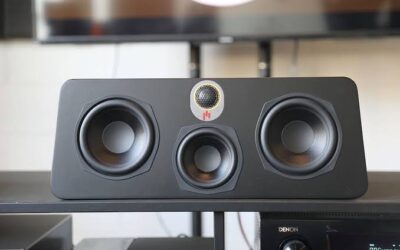
Clear sound can make music, films, television programmes, and games much more enjoyable. However, when your speakers start producing crackling, buzzing, rattling, or harsh audio, even your favourite song can become difficult to listen to. Speaker distortion is a common problem in home audio systems, but it does not always mean that your speakers are broken.
The cause could be a volume setting, damaged cable, weak Bluetooth connection, faulty amplifier, or worn speaker component. Fortunately, several problems can be identified through simple troubleshooting before you decide whether professional repair is necessary.
For homeowners in Saskatoon, understanding these issues can help protect audio equipment and avoid unnecessary replacement costs. This guide explains why speakers sound distorted, what you can safely check at home, and when to seek professional assistance.
What Does Distorted Speaker Sound Mean?
Speaker distortion occurs when the audio coming from a speaker no longer sounds clear and natural. Instead of smooth voices and balanced music, you may hear unpleasant noises or notice that certain sounds are missing.
Distortion can appear in different forms, including:
- Crackling: Audio sounds like small electrical pops or static.
- Buzzing: A continuous humming or vibrating noise comes from the speakers.
- Rattling: The speaker produces a mechanical vibration, particularly during bass-heavy music.
- Muffled sound: Voices and instruments lack clarity.
- Harsh audio: Music becomes uncomfortable to hear, especially at high volume.
- Uneven sound: One speaker sounds different from the others.
- Intermittent distortion: The sound becomes unclear and then returns to normal.
Identifying the type of distortion can help you narrow down its possible cause.
1. Playing Music at Excessively High Volume
One of the most common reasons speakers sound distorted is excessive volume. Every speaker has limits, and pushing it beyond its capabilities can affect sound quality.
When you turn the volume up too high, the amplifier may struggle to deliver a clean signal. The resulting audio can sound harsh, clipped, or crackly. Bass-heavy music can make this problem more noticeable.
Repeatedly playing distorted audio at high volume can also damage speaker components.
How to fix it
Start by reducing the volume on both your audio source and amplifier, if applicable. Turn off bass boost and other sound-enhancement features temporarily. Play a familiar song at a moderate level and listen for improvements.
If the distortion disappears when the volume is reduced, your system may have been operating beyond its comfortable limits.
Avoid turning the volume up simply to compensate for weak or unclear sound. If distortion occurs even at moderate levels, another problem may need attention.
2. Damaged or Loose Speaker Wires
Speaker cables carry audio signals between your amplifier or receiver and your speakers. Loose connections, damaged insulation, or incorrectly connected wires can interfere with sound quality.
A cable that has been trapped under furniture or repeatedly bent may also develop damage. In some cases, a loose connection causes the audio to cut in and out when the cable moves.
How to fix it
First, switch off your amplifier or receiver and disconnect its power before checking the connections.
Inspect accessible speaker cables for cuts, crushed sections, fraying, or exposed wire strands. Check that the connectors are firmly attached at both ends and that the positive and negative terminals are connected according to the manufacturer’s instructions.
Replace visibly damaged cables with compatible ones.
Never handle exposed wiring while the equipment is powered on. If the connections appear secure but distortion continues, the problem could involve the amplifier, speaker terminals, or internal components.
3. Incorrect Equalizer and Bass Settings
Equalizer settings allow you to adjust bass, midrange, and treble. Although these controls can improve your listening experience, extreme settings may reduce sound quality.
For example, increasing bass to its maximum level can make a small speaker struggle to reproduce low frequencies. Excessive treble can make voices and instruments sound sharp or unpleasant.
Some phones, computers, music applications, and televisions also apply sound enhancement automatically.
How to fix it
Open the audio settings on your connected device and temporarily disable:
- Bass boost
- Custom equalizer profiles
- Loudness enhancement
- Virtual surround effects
- Other optional audio-processing features
Return your amplifier’s tone controls to neutral settings if appropriate for your equipment.
Play audio again and compare the results. If the sound becomes clearer, adjust the settings gradually until you find a balanced configuration.
If distortion remains with neutral settings, investigate the cables, audio source, amplifier, and speakers.
4. A Damaged Speaker Cone or Surround
Inside a conventional loudspeaker, the cone moves back and forth to produce sound. A flexible surround helps hold it in position while allowing controlled movement.
Over time, these components can deteriorate because of age, heat, moisture, excessive volume, or physical damage. A damaged cone or surround may create rattling, buzzing, or a fuzzy sound, particularly when music contains deep bass.
Visible damage can sometimes be identified by carefully examining the exterior of the speaker.
How to fix it
Turn off the system and inspect the speaker grille and cabinet for visible damage. If the manufacturer permits it, remove the grille according to the instructions and examine the cone without touching it.
Look for obvious tears, deterioration, or loose components. Do not press the cone, pull on the surround, or apply household glue to damaged parts.
If the speaker produces distortion even when connected to a reliable audio source at a moderate volume, professional inspection may be necessary. Depending on the speaker’s design and condition, a technician may be able to repair or replace the affected component.
5. Problems With the Amplifier or Receiver
Sometimes the speakers are working correctly, but the amplifier or receiver is producing a distorted signal.
An amplifier may struggle if it is overloaded, overheating, damaged, or connected to speakers with unsuitable electrical specifications. Faulty internal components can also cause crackling, intermittent sound, or distortion across multiple speakers.
A useful clue is whether several speakers develop the same problem simultaneously.
How to fix it
Reduce the volume and ensure that the amplifier has adequate ventilation. Check that its vents are not blocked by furniture, dust, or other objects.
If you have more than one audio source, try another source using the system’s normal input options. If every source produces distortion through multiple speakers, the amplifier or receiver may be responsible.
Check the manufacturer’s documentation to confirm that the connected speakers are compatible with the amplifier.
Do not open the amplifier casing or attempt internal electrical repairs yourself. If the unit overheats, smells burnt, produces smoke, or repeatedly shuts down, switch it off and disconnect it from power when safe to do so. Arrange professional inspection before using it again.
6. Bluetooth Interference and Weak Wireless Connections
Wireless speakers are convenient, but Bluetooth connections can sometimes cause interruptions, skipping, or poor audio quality.
Distance, physical obstacles, wireless interference, and low battery power may affect performance. Some devices may also experience problems when bass enhancement or other processing features are enabled.
Sony’s official troubleshooting guidance recommends lowering the source volume, disabling bass boost, reducing wireless interference, and moving connected devices closer together when appropriate.
How to fix it
Try these steps:
- Move your phone, tablet, or computer closer to the speaker.
- Remove obstacles between the two devices where possible.
- Charge the speaker if its battery is low.
- Disconnect and reconnect Bluetooth.
- Remove the existing pairing and pair the devices again if necessary.
- Move the speaker away from nearby wireless equipment that may be causing interference.
- Test another music application or audio file.
If the speaker sounds clear through a wired connection but distorted through Bluetooth, the issue may be related to wireless connectivity, the connected device, or its settings.
If both wired and wireless playback sound distorted, the speaker itself may require further inspection.
7. Dust, Moisture, and Environmental Damage
Speakers can collect dust over time, particularly when placed near floors, windows, or busy household areas. Moisture can also damage speaker materials and electronic components.
Dust on an exterior grille may affect airflow or slightly change the sound, while liquid entering the cabinet can cause more serious problems. Damp basements, spills, and condensation are potential risks.
How to fix it
Clean the outside of the speaker using a soft, dry cloth. Follow the manufacturer’s cleaning instructions, and avoid spraying liquids directly onto the cabinet or grille.
Keep speakers away from leaking windows, damp surfaces, and places where drinks might spill. Make sure ventilation openings remain unobstructed.
If liquid has entered the speaker, switch it off and disconnect power when safe. Do not turn it back on simply to test whether it still works. Allow a qualified technician to assess the damage, particularly if the unit contains a built-in amplifier or rechargeable battery.
8. The Audio Source or Recording Is the Problem
Distortion does not always originate inside the speaker. A damaged audio file, poor-quality recording, faulty cable from the source device, or software problem can also produce unpleasant sound.
For example, a particular song might sound crackly while other recordings play normally. Alternatively, audio from a laptop may distort even though a television connected to the same speakers sounds clear.
How to fix it
Try a simple comparison:
- Play a different song or recording.
- Switch to another application.
- Connect another compatible device.
- Test a different input on the amplifier, if available.
- Replace a suspect audio cable with a compatible, undamaged cable.
If the distortion occurs only with one recording or application, investigate the source before assuming the speaker needs repair.
If every source produces the same problem, the speaker, amplifier, or connecting equipment may be responsible.
9. Worn Components in Older Speakers
Older speakers may gradually develop problems as their materials and electrical components age. Flexible surrounds can deteriorate, internal connections can loosen, and components in powered speakers may fail.
Age alone does not mean a speaker must be replaced. Some older systems continue to perform well for many years when properly maintained.
How to fix it
Listen for persistent buzzing, rattling, changes in bass response, or distortion that occurs even at low volume.
Compare the sound with another compatible speaker, if possible. If the problem remains with the same unit, a damaged speaker component may be responsible.
A professional assessment can help determine whether repairing the existing speaker is practical or whether replacement would be more economical. The decision depends on the equipment’s age, parts availability, repair cost, and overall condition.
10. When Should You Seek Professional Speaker Repair?
Basic troubleshooting can resolve many sound-quality issues, but persistent distortion may indicate an internal fault.
Consider professional assistance when:
- Distortion continues at moderate volume.
- One speaker consistently sounds worse than the others.
- The sound cuts out when the system warms up.
- Crackling continues after cables and settings have been checked.
- The amplifier overheats or shuts down unexpectedly.
- The speaker has suffered liquid or physical damage.
- You notice a burning smell, smoke, or unusual electrical noises.
For residents looking for help with an audio system in Saskatoon, a specialist can investigate whether the fault lies in the speaker, amplifier, wiring, or another connected component. The appropriate repair depends on the equipment and the results of the inspection.
You can learn more about relevant audio troubleshooting and repair options through audio repair services in Saskatoon.
How to Prevent Speaker Distortion in the Future
Preventive care can help your audio system deliver clearer sound and reduce unnecessary wear.
Keep volume at a sensible level: Avoid repeatedly pushing speakers and amplifiers to their maximum output.
Use balanced sound settings: Extreme bass and treble adjustments can reduce clarity and place extra demands on your equipment.
Check cables periodically: Replace damaged cables and keep connections secure.
Provide proper ventilation: Leave space around amplifiers, receivers, and powered speakers so heat can escape.
Keep equipment dry: Protect speakers from spills, damp conditions, and excessive humidity.
Clean carefully: Use suitable cleaning methods rather than spraying liquids into grilles or openings.
Use compatible equipment: Follow the manufacturer’s guidance when matching speakers with an amplifier or receiver.
Investigate unusual noises early: Persistent distortion should not be ignored, especially if it becomes progressively worse.
These simple habits can help protect your equipment and maintain better audio quality.
Conclusion
Distorted speakers can result from many different problems, including excessive volume, incorrect sound settings, damaged cables, Bluetooth interference, worn speaker components, and amplifier faults. The good news is that some causes can be resolved through straightforward checks without replacing the entire system.
Start by lowering the volume, checking the audio source, adjusting equalizer settings, and inspecting accessible connections with the equipment switched off. If the distortion continues, avoid repeatedly testing the system at high volume or attempting internal electrical repairs.
Finding the real cause is the best way to restore clear sound and make an informed decision about repair or replacement. If simple troubleshooting does not resolve the issue, professional assessment can help identify the faulty component and determine the next step.
Frequently Asked Questions
1. Why do my speakers sound distorted at high volume?
High volume can push the amplifier or speaker beyond its operating limits, producing harsh or crackling audio. Reduce the volume and disable excessive bass enhancement. If distortion continues at moderate levels, another fault may be present.
2. Can damaged speaker wires cause distortion?
Yes. Loose connections, damaged insulation, or incorrectly connected wires can cause intermittent audio, crackling, or other sound problems. Switch off the equipment before checking the connections.
3. Why does only one speaker sound distorted?
The cause could be a damaged speaker cone, loose cable, faulty amplifier channel, or problem with the connection. Testing another compatible source or carefully comparing channels can help narrow down the issue.
4. Can Bluetooth cause distorted sound?
Yes. Wireless interference, excessive distance, low battery power, or connection problems can affect playback. Move the devices closer together, charge the speaker, and reconnect Bluetooth.
5. Does bass boost damage speakers?
Bass boost does not automatically damage speakers, but excessive bass at high volume can push the speaker or amplifier beyond its capabilities. Use moderate settings and lower the volume if distortion appears.
6. How can I tell if a speaker cone is damaged?
Possible signs include rattling, buzzing, fuzzy sound, and distortion during bass-heavy audio. Visible tears or deterioration may also indicate damage. Avoid pressing or manipulating the cone.
7. Why do my speakers crackle even at low volume?
Possible causes include faulty cables, poor connections, damaged speaker components, amplifier problems, or a noisy audio source. Test another recording and compatible source to help isolate the problem.
8. Are distorted speakers worth repairing?
They may be. Repair can be worthwhile when the speaker is otherwise in good condition and the faulty component can be repaired or replaced economically. Compare the estimated repair cost with the price of a suitable replacement.
9. Can dust make speakers sound distorted?
Dust on an exterior grille may affect sound slightly, but persistent distortion often has another cause. Clean the exterior gently according to the manufacturer’s instructions and keep dust away from ventilation openings.
10. Where can I get help with speaker problems in Saskatoon?
If basic troubleshooting does not solve the problem, consider a professional audio repair assessment. A technician can help determine whether the issue involves the speaker, amplifier, wiring, or another component. Visit the audio repair service page for more information.
SEO Details
SEO Title: Why Your Speakers Sound Distorted and How to Fix Them
Meta Description: Discover why speakers sound distorted, from damaged cables and high volume to Bluetooth interference. Learn safe troubleshooting tips and when to seek repair in Saskatoon.
Suggested URL Slug: why-speakers-sound-distorted-how-to-fix
Target Location: Saskatoon, Saskatchewan, Canada
Keyword note: The supplied keyword, “Microwave repair Saskatoon,” does not match this speaker-distortion topic or the audio repair URL. To keep the article relevant and avoid keyword stuffing, I have used audio-related wording and linked the supplied audio repair URL twice instead.
Helpful Manufacturer References
Polish the article for search and readers