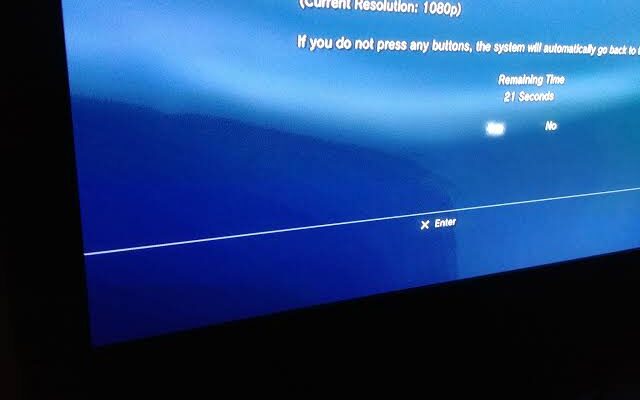
Have you ever changed the channel on your TV and noticed a faint logo, menu, scoreboard, or previous picture still visible on the screen? This effect is often called TV ghosting, image retention, or image persistence. It can be worrying, especially when the shadow remains after the original content disappears.
The good news is that temporary image retention is often not a permanent problem. On many modern TVs, a faint after-image can disappear after a short period. However, persistent marks can sometimes indicate a more serious issue, particularly on OLED displays where permanent image retention, commonly called burn-in, can occur.
Understanding the difference between temporary ghosting and permanent screen damage can help you decide whether the problem needs simple changes to your viewing habits or professional attention.
What Is TV Ghosting or Image Retention?
Image retention happens when part of a previous image remains faintly visible after the screen changes to different content. For example, you might watch a news channel for several hours and later notice the channel logo faintly visible against a plain background.
The same thing can happen with:
- Video game health bars or scoreboards
- Sports score graphics
- Streaming app menus
- Computer desktop icons
- News tickers
- Channel logos
- Paused video-game screens
- Static photographs
- On-screen program guides
Modern TVs are generally much better at handling temporary image retention than older displays. RTINGS notes that temporary retention on modern TVs is usually short-lived and is most noticeable after content containing strong, static elements.
The important point is that temporary image retention is not automatically the same as burn-in.
Image Retention vs. Burn-In
These two terms are often used interchangeably, but they describe different situations.
Temporary image retention usually produces a faint after-image that disappears after the display changes or the TV has been off for some time.
Burn-in, on the other hand, refers to longer-lasting or permanent uneven wear of the display. It can leave a recognizable shape, logo, or interface element visible even when different content is playing.
LG describes image retention as an image that remains after the content changes, while longer-lasting burn-in is generally associated with static images being displayed for extended periods.
This distinction matters because temporary retention may require little or no repair, while permanent panel damage may not be economically repairable.
What Causes Image Retention?
The most common cause is prolonged exposure to the same visual elements.
A television is designed to display changing images. Problems become more likely when the same high-contrast object stays in the same location for a long time.
1. Static Channel Logos
News and sports channels frequently display permanent logos or graphics. Watching the same channel for many hours every day can increase the chance of visible retention.
Sony specifically identifies channel logos, program guides, menus, and news tickers as examples of content that can contribute to image retention on OLED TVs.
2. Video Games
Gaming can place fixed elements on the screen for long periods. Health bars, maps, scoreboards, ammunition counters, and other interface elements may remain in exactly the same location.
Occasional gaming is generally very different from leaving the same game paused or running continuously for many hours. The greater the amount of repeated static content, the greater the concern.
3. Paused Content
Leaving a movie, YouTube video, streaming service, or game paused for hours is another common cause.
Even if nothing appears to be happening, the TV may continue displaying the same image continuously.
4. Using the TV as a Computer Monitor
A desktop computer can be particularly demanding for an OLED TV because elements such as taskbars, browser tabs, application windows, and icons may remain in fixed positions.
If you regularly use an OLED television as a computer monitor, changing your screen layout, using a screensaver, hiding static interface elements, and allowing the display to rest can help reduce the risk.
5. Very Bright Static Images
High-contrast and bright static elements can be more noticeable when retention occurs. RTINGS recommends varying content and avoiding unnecessarily high contrast or brightness when trying to reduce the risk.
Why OLED TVs Need Extra Attention
OLED technology is particularly associated with discussions about image retention because each pixel produces its own light.
OLED TVs can deliver excellent contrast and deep blacks, but prolonged exposure to static content can contribute to uneven pixel wear over time.
This does not mean that every OLED TV will develop burn-in. Modern OLED televisions include technologies designed to reduce the risk, and normal mixed viewing is much less demanding than continuously displaying the same static image.
However, users who watch the same news channel all day, play one game for extremely long sessions, or use an OLED TV as a desktop monitor should take additional precautions.
Sony also warns that OLED screens are more prone to image retention because of their display characteristics and recommends avoiding conditions where the same image remains on the screen for extended periods.
How to Tell If Ghosting Is Temporary
There are a few simple observations that can help.
First, change the channel or open completely different content. A plain gray, white, or another uniform screen can make a faint after-image easier to see.
Next, turn the television off normally and allow it to remain in standby for a while. Do not immediately assume the panel is permanently damaged just because a faint image is visible.
If the shadow gradually becomes weaker and eventually disappears, it is more consistent with temporary image retention.
RTINGS testing has found that temporary retention can disappear within minutes in affected displays, although the exact behavior varies between TVs and panel technologies.
Give the TV Time to Recover
One of the simplest steps is also one of the most overlooked: let the television rest.
If you notice a faint image after a long period of static content, stop displaying that content and turn the TV off normally.
Some OLED televisions perform maintenance or compensation processes while the TV is in standby. These processes can help address certain forms of temporary retention and panel uniformity issues.
Do not repeatedly unplug the television immediately after turning it off if the manufacturer expects maintenance processes to run in standby.
For example, Sony recommends turning the TV off with the remote and allowing it to remain off for an extended period when addressing certain image-retention or uniformity concerns.
Always follow the instructions for your particular model rather than manually forcing maintenance functions without understanding what they do.
Use Built-In OLED Protection Features
If you own an OLED television, check its picture and display-care settings.
Depending on the manufacturer and model, you may find features such as:
- Pixel shifting
- Logo brightness adjustment
- Screen protection
- Panel care
- Pixel refresh
- Compensation cycles
- Automatic screen dimming
- Screen saver functions
The exact names and operation differ between manufacturers.
These features are designed to reduce the effects of static content and uneven panel wear. Do not assume that every option should be manually activated as frequently as possible. Some maintenance functions are intended to run automatically.
If your TV displays a warning before starting a panel-care process, read it carefully and follow the manufacturer’s instructions.
Reduce Brightness When Appropriate
High brightness can make static elements more demanding, particularly when you frequently watch the same type of content.
You do not need to make your picture uncomfortably dark. Instead, use a reasonable brightness level for your room.
A bright TV is not automatically going to develop burn-in, but reducing unnecessary brightness can be one part of a sensible long-term OLED care routine.
This is especially useful in a dark room, where extremely high brightness may not provide a better viewing experience anyway.
Vary Your Content
One of the easiest ways to reduce the risk of permanent image retention is to avoid displaying the same static elements continuously.
For example, if you spend several hours gaming, consider watching a movie or another type of content afterward.
If you regularly watch news channels, switch between different programs or channels.
If you use your TV for computer work, allow the screen to go into a screensaver or turn it off when you are away.
Varying content allows different areas of the display to experience different usage rather than repeatedly stressing the same pixels.
What About LCD and LED TVs?
Image retention is not exclusively an OLED topic.
LCD-based televisions can also show temporary image retention in certain circumstances. However, the behavior and long-term risks differ from OLED technology.
LED TVs are actually LCD panels that use LED lighting, so the pixels themselves work differently from self-emissive OLED pixels.
A faint temporary shadow on an LCD TV does not automatically mean that the panel has suffered permanent damage.
This is why proper diagnosis matters. The appearance of the problem alone may not tell you exactly what component or technology is responsible.
When Ghosting May Indicate a Different Problem
Not every shadow on the screen is image retention.
If you notice a permanent double image, trailing around moving objects, unusual motion blur, horizontal lines, vertical lines, color changes, flickering, or a distorted picture, the problem could involve something else.
Possible causes can include:
- Panel problems
- T-CON circuitry
- Main board issues
- Signal processing faults
- Incorrect picture settings
- HDMI or source-device problems
- Cable or connection issues
For example, a gaming console with an incorrect output configuration could produce a picture that looks unusual, while a faulty display circuit may create persistent artifacts.
A professional technician can help determine whether the problem is actually image retention or another display fault. If the shadow remains across different sources and settings, consider professional TV repair Saskatoon service rather than repeatedly experimenting with panel-care functions. TV repair Saskatoon
Can Burn-In Be Repaired?
Permanent burn-in is much more difficult than temporary image retention.
If the actual OLED panel has developed uneven wear, software settings generally cannot restore the affected pixels to their original condition.
Panel replacement may technically be possible for some models, but it can be expensive. Whether it makes financial sense depends on the television’s age, original price, panel availability, and replacement cost.
This is why prevention is usually more practical than trying to repair permanent burn-in later.
It is also important not to confuse a temporary after-image with permanent damage. A faint shadow that disappears after the TV rests may not require any repair at all.
When Should You Contact a Repair Professional?
Consider getting the TV inspected if:
- The image remains visible for a long time.
- The same mark appears on every input.
- Ghosting becomes progressively worse.
- You see permanent logos or shapes.
- Other picture problems appear at the same time.
- The screen develops lines or large areas of discoloration.
- The TV flickers or shuts down unexpectedly.
- Built-in panel-care procedures do not improve the issue.
- You suspect physical or electrical damage.
Before seeking TV repair Saskatoon, record what the ghost image looks like and note when it appears. Taking a photograph can also help a technician understand the symptom, especially if the effect disappears temporarily. TV repair Saskatoon
Preventing Image Retention in Everyday Use
A few simple habits can make a meaningful difference:
- Avoid leaving the TV paused for several hours.
- Do not leave news channels or sports graphics running all day.
- Use screen savers when connecting a computer.
- Allow OLED televisions to complete their normal standby maintenance.
- Use reasonable brightness and contrast settings.
- Vary your viewing content.
- Turn the TV off when it is not needed.
- Follow the manufacturer’s panel-care recommendations.
- Avoid repeatedly forcing manual pixel-refresh procedures.
- Investigate persistent marks instead of assuming they are temporary.
These habits are particularly useful for people who use their television heavily for gaming, streaming, computer work, or news viewing.
Final Thoughts
TV ghosting and image retention can look serious, but a faint after-image does not automatically mean that your television is permanently damaged. Temporary retention can occur after displaying static content and may disappear after the screen changes or the TV spends some time in standby.
The bigger concern is permanent image retention or burn-in, particularly on OLED displays. Repeatedly displaying fixed logos, game interfaces, menus, or computer elements for long periods can increase the risk of uneven panel wear.
The best approach is prevention: vary your content, avoid leaving static images on the screen unnecessarily, use the TV’s built-in protection features, and give the display time to perform its normal maintenance.
If an image remains visible despite changing content and allowing the TV to rest, professional diagnosis is the safest next step. A proper inspection can distinguish temporary retention from panel damage or another underlying display problem and help you decide whether repair is worthwhile.