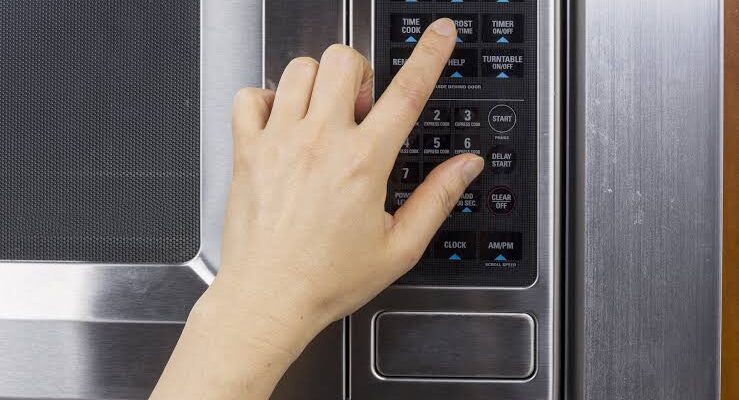
Microwave Buttons Not Responding: Repair or Replace?
A microwave makes everyday cooking faster and easier. From reheating leftovers to defrosting frozen food, it is an appliance many households use regularly. But when the buttons stop responding, even a simple task can become frustrating. You may press the Start button several times without getting a response, find that the keypad works only occasionally, or discover that the entire control panel appears frozen.
The good news is that unresponsive microwave buttons do not always mean you need a new appliance. Sometimes, the problem is caused by a temporary electronic glitch, a locked control panel, or moisture and dirt around the keypad. In other cases, a damaged membrane switch, faulty control board, or electrical issue may require professional repair.
For homeowners in Saskatoon, understanding the possible causes can help determine whether a simple troubleshooting step is enough or whether replacement is worth considering.
This guide explains why microwave buttons stop working, what you can safely check at home, and how to decide between repairing and replacing your appliance.
Why Are My Microwave Buttons Not Working?
Modern microwaves use electronic control systems to manage cooking times, power levels, and heating functions. Depending on the model, the controls may consist of a touch-sensitive panel, a membrane keypad, or physical buttons connected to an electronic control board.
When you press a button, the control system registers your selection and sends the appropriate command to the appliance.
If a button fails to respond, the problem could be related to the keypad itself, the control board, the power supply, or a setting that prevents normal operation.
Before assuming that a major component has failed, check for simple causes such as an active control lock or a temporary power interruption.
1. The Control Lock Is Enabled
One of the easiest explanations for an unresponsive keypad is an active control lock.
Many microwaves include a child lock or control-lock feature designed to prevent accidental operation. When this function is enabled, the buttons may appear unresponsive even though the appliance is working as intended.
The lock can sometimes be activated accidentally when cleaning the control panel or pressing a combination of buttons.
How to check it
Look at the display for a lock symbol or a message indicating that the controls are disabled.
Check the user manual for instructions on disabling the feature. Depending on the model, you may need to press and hold a particular button or use a specific combination of controls.
Avoid guessing combinations if the instructions are unclear. Different manufacturers use different procedures.
If the keypad begins working normally after the lock is disabled, you probably do not need a repair.
2. A Temporary Electronic Glitch
Like other electronic appliances, a microwave can occasionally experience a temporary control-system issue.
A brief power interruption, voltage fluctuation, or electronic glitch may cause the display or keypad to stop responding properly.
If the microwave has power but does not register button presses, a simple reset may help.
What you can do
- Stop using the microwave.
- Switch it off and unplug it if the plug is safely accessible.
- Leave it disconnected for a few minutes.
- Reconnect the power and check whether the display and controls respond normally.
Follow the manufacturer’s instructions if your model has a specific reset procedure.
If the microwave repeatedly freezes or stops responding, do not rely on repeated resets. A recurring problem may indicate a faulty control component or an electrical issue that requires professional assessment.
3. Dirt or Moisture Around the Keypad
Kitchen appliances are exposed to grease, food splashes, steam, and moisture. Over time, these substances can collect around the buttons or touch-sensitive panel.
A dirty keypad may become difficult to operate, while moisture can interfere with touch-sensitive controls.
How to clean the control panel safely
First, switch off and unplug the microwave if you can do so safely.
Use a soft, slightly damp cloth to wipe the outside of the control panel. Follow the manufacturer’s cleaning instructions and avoid spraying cleaning products directly onto the keypad.
Do not pour water onto the buttons, use abrasive cleaning pads, or push sharp objects into the gaps around them.
Allow the surface to dry completely before reconnecting the appliance.
If the buttons remain unresponsive after cleaning, the issue may involve the keypad’s internal contacts or electronic components.
4. The Membrane Keypad May Be Worn Out
Many microwaves use a membrane keypad made of thin layers that register button presses. Repeated use can eventually wear out the contacts or damage the membrane.
This type of problem may develop gradually.
For example, the Start button might work only when pressed several times, while other buttons continue functioning normally. Eventually, more of the keypad may stop responding.
A worn membrane keypad generally requires replacement rather than household cleaning.
The availability and cost of replacement parts depend on the microwave’s make and model. A technician can determine whether the keypad is replaceable separately or is part of a larger control-panel assembly.
Avoid pressing buttons excessively or attempting to open the control panel yourself.
5. The Main Control Board May Be Faulty
The electronic control board manages many of the microwave’s functions. Depending on the design, it processes keypad inputs, controls the display, and communicates with other components.
If the board develops a fault, several buttons may stop responding at once. The display might flicker, the timer may behave unpredictably, or the appliance may become stuck on one setting.
However, these symptoms do not prove that the board is defective. A damaged keypad or another electrical problem can produce similar behaviour.
Diagnosing a control-board fault may require specialist testing and access to internal components.
Do not remove the microwave’s outer cabinet to investigate the problem. Microwave ovens contain high-voltage components that can retain a dangerous electrical charge even after the appliance is unplugged.
A qualified technician should inspect the internal electronics and determine whether repair or replacement is appropriate.
6. The Display Works, but the Start Button Does Not
If the display lights up and the keypad responds to some commands but the Start button does not work, the problem may be limited to one part of the control system.
Possible explanations include:
- A worn Start button or membrane contact.
- An active control lock or an incorrect operating setting.
- A faulty control-panel connection.
- An electronic control-board problem.
First, check the display and control-lock instructions in your manual. If the problem persists, avoid repeatedly pressing the Start button with excessive force.
A technician can determine whether the keypad assembly or another component needs attention.
If the door does not close correctly or the microwave shows other signs of damage, stop using it until it has been inspected.
7. Electrical Supply Problems May Affect the Controls
A microwave requires a suitable electrical supply to operate correctly. A loose plug, damaged cord, faulty outlet, or other supply problem may cause intermittent operation.
If the display repeatedly goes blank, resets unexpectedly, or flickers when you try to use the controls, an electrical issue may be involved.
Check only what is safely accessible:
- Make sure the plug is fully inserted into an appropriate outlet.
- Look for visible damage to the power cord or plug.
- Notice whether other appliances on the same circuit are also losing power.
- Check whether the circuit breaker has tripped.
Never use a damaged cord or plug. Do not open the outlet or attempt electrical repairs unless you are qualified to do so.
If the outlet appears damaged, or the microwave repeatedly trips a breaker, stop using the appliance and contact a qualified electrician or service professional as appropriate.
Safe Troubleshooting Steps Before Calling a Technician
You may be able to resolve a minor keypad problem without replacing any parts. Try the following checks in order.
Step 1: Read the Display
Look for a lock symbol, error message, or unusual display pattern. Consult the user manual to understand what the message means for your model.
Step 2: Check the Control Lock
If the lock is enabled, follow the manufacturer’s instructions to disable it.
Step 3: Clean the Exterior Keypad
Disconnect the power when safe, then gently clean the control surface using a soft cloth. Avoid excessive moisture.
Step 4: Try a Power Reset
If the manual permits it, disconnect the microwave from power for a few minutes, then reconnect it and check the controls.
Step 5: Check for Other Warning Signs
Look for a damaged plug, a burning smell, smoke, unusual electrical noises, or damage to the door.
If the microwave still does not respond, arrange a professional assessment rather than opening the cabinet or trying to replace internal components yourself.
Repair or Replace: Which Option Makes More Sense?
Whether to repair or replace a microwave depends on the appliance’s age, condition, fault, and estimated repair cost.
A keypad issue may be repairable if a compatible replacement part is available. However, replacing a control board or an integrated control-panel assembly may be more expensive.
Consider these factors before making a decision.
When Repair May Be the Better Choice
Repair may make sense when:
- The microwave is relatively new.
- The appliance is otherwise in good condition.
- The problem is limited to the keypad or another replaceable component.
- Replacement parts are available.
- The estimated repair cost is reasonable compared with replacement.
A proper diagnosis can prevent unnecessary replacement of components that are still working.
When Replacement May Be Worth Considering
Replacing the microwave may be more practical when:
- The appliance is old and has developed several faults.
- The control board or keypad assembly is expensive.
- Suitable replacement parts are difficult to obtain.
- The repair estimate approaches the price of a suitable new appliance.
- The appliance has damage affecting important safety features.
Built-in and over-the-range microwaves may involve additional installation costs, so include those expenses when comparing replacement options.
Before making a decision, ask for a repair estimate that explains the likely fault, the required parts, and the labour involved.
Why Professional Diagnosis Matters
An unresponsive keypad can have several causes that produce similar symptoms. Replacing the wrong component may waste money without solving the underlying problem.
A trained technician can assess the keypad, inspect relevant electronic components, and determine whether a repair is practical.
For homeowners in Saskatoon, Microwave repair Saskatoon can be a starting point for exploring professional help when basic troubleshooting does not resolve the issue.
Professional assessment is particularly important when the display behaves unpredictably, several buttons fail simultaneously, or the appliance has electrical warning signs.
How to Prevent Future Keypad Problems
You cannot prevent every electronic fault, but good maintenance habits can help protect the control panel.
- Clean spills promptly: Food residue and grease can accumulate around the buttons.
- Avoid excessive moisture: Never spray cleaner directly onto the keypad.
- Use gentle pressure: Press the buttons normally rather than hitting them repeatedly.
- Follow the user manual: Use the recommended cleaning products and operating procedures.
- Keep the microwave dry: Prevent steam and liquid from collecting around the control panel.
- Address recurring faults early: Repeated freezing or intermittent button operation should not be ignored.
- Protect the power supply: Do not use a damaged cord, plug, or outlet.
These simple steps can help Saskatoon households keep their kitchen appliances in good working condition throughout the year.
Frequently Asked Questions
1. Why are my microwave buttons not responding?
Possible causes include an active control lock, a temporary electronic glitch, dirt or moisture on the keypad, a worn membrane switch, or a faulty control board. Start with safe checks before arranging professional service.
2. How do I unlock my microwave keypad?
Check the user manual for the control-lock or child-lock procedure. The method varies by model and may involve pressing and holding a particular button.
3. Can I reset my microwave if the buttons stop working?
Some temporary electronic problems may be resolved by disconnecting the appliance from power for a few minutes, provided the manufacturer’s instructions permit it. If the issue keeps returning, seek professional diagnosis.
4. Why does my microwave display work but the buttons do not?
The display and keypad may use different parts of the control system. A worn keypad, active lock, damaged connection, or faulty electronic component could explain the symptoms.
5. Why does only one microwave button fail?
A single unresponsive button may indicate a worn keypad contact or a problem affecting that particular control. A technician can determine whether the keypad assembly needs replacement.
6. Is it safe to use a microwave with an unresponsive keypad?
If you cannot reliably control the appliance, stop using it until the problem is resolved. Never bypass the controls or safety features. Stop immediately if you notice burning smells, smoke, damaged wiring, or door damage.
7. How much does microwave keypad repair cost in Saskatoon?
The cost depends on the microwave model, the faulty component, replacement-part availability, and labour. A keypad replacement may cost less than a control-board replacement, but a diagnosis is needed to provide a meaningful estimate.
8. Should I replace my microwave if the control board fails?
Not always. Compare the repair estimate with the cost of a suitable replacement and consider the appliance’s age, condition, and installation requirements.
9. Can I replace a microwave keypad myself?
Replacing a keypad may involve removing the control panel and working near internal electrical components. Because microwave ovens can retain dangerous high voltage, internal repairs are best left to a qualified technician.
10. How can I keep my microwave buttons working properly?
Keep the keypad clean and dry, avoid pressing buttons too hard, follow the manufacturer’s cleaning instructions, and address recurring control problems promptly.
Final Thoughts
Microwave buttons that stop responding can be frustrating, but the cause is not always serious. A control lock, temporary electronic glitch, or dirty keypad may be easy to address with basic troubleshooting.
If the buttons remain unresponsive, the keypad may be worn out or the control board may require attention. A professional diagnosis can help you avoid replacing the wrong part and determine whether repair is worthwhile.
For Saskatoon homeowners, the best approach is to begin with safe, simple checks and compare the repair estimate with the cost of replacement. Most importantly, never open the microwave cabinet or attempt high-voltage repairs yourself.
Sources
- Health Canada — Microwave Ovens: Safety and Maintenance
- Samsung Support — Microwave Troubleshooting
- Whirlpool — Microwave Troubleshooting and Repair
Refine the microwave article
A microwave makes everyday cooking faster and easier. From reheating leftovers to defrosting frozen food, it is an appliance many households use regularly. But when the buttons stop responding, even a simple task can become frustrating. You may press the Start button several times without getting a response, find that the keypad works only occasionally, or discover that the entire control panel appears frozen.
The good news is that unresponsive microwave buttons do not always mean you need a new appliance. Sometimes, the problem is caused by a temporary electronic glitch, a locked control panel, or moisture and dirt around the keypad. In other cases, a damaged membrane switch, faulty control board, or electrical issue may require professional repair.
For homeowners in Saskatoon, understanding the possible causes can help determine whether a simple troubleshooting step is enough or whether replacement is worth considering.
This guide explains why microwave buttons stop working, what you can safely check at home, and how to decide between repairing and replacing your appliance.
Why Are My Microwave Buttons Not Working?
Modern microwaves use electronic control systems to manage cooking times, power levels, and heating functions. Depending on the model, the controls may consist of a touch-sensitive panel, a membrane keypad, or physical buttons connected to an electronic control board.
When you press a button, the control system registers your selection and sends the appropriate command to the appliance.
If a button fails to respond, the problem could be related to the keypad itself, the control board, the power supply, or a setting that prevents normal operation.
Before assuming that a major component has failed, check for simple causes such as an active control lock or a temporary power interruption.
1. The Control Lock Is Enabled
One of the easiest explanations for an unresponsive keypad is an active control lock.
Many microwaves include a child lock or control-lock feature designed to prevent accidental operation. When this function is enabled, the buttons may appear unresponsive even though the appliance is working as intended.
The lock can sometimes be activated accidentally when cleaning the control panel or pressing a combination of buttons.
How to check it
Look at the display for a lock symbol or a message indicating that the controls are disabled.
Check the user manual for instructions on disabling the feature. Depending on the model, you may need to press and hold a particular button or use a specific combination of controls.
Avoid guessing combinations if the instructions are unclear. Different manufacturers use different procedures.
If the keypad begins working normally after the lock is disabled, you probably do not need a repair.
2. A Temporary Electronic Glitch
Like other electronic appliances, a microwave can occasionally experience a temporary control-system issue.
A brief power interruption, voltage fluctuation, or electronic glitch may cause the display or keypad to stop responding properly.
If the microwave has power but does not register button presses, a simple reset may help.
What you can do
- Stop using the microwave.
- Switch it off and unplug it if the plug is safely accessible.
- Leave it disconnected for a few minutes.
- Reconnect the power and check whether the display and controls respond normally.
Follow the manufacturer’s instructions if your model has a specific reset procedure.
If the microwave repeatedly freezes or stops responding, do not rely on repeated resets. A recurring problem may indicate a faulty control component or an electrical issue that requires professional assessment.
3. Dirt or Moisture Around the Keypad
Kitchen appliances are exposed to grease, food splashes, steam, and moisture. Over time, these substances can collect around the buttons or touch-sensitive panel.
A dirty keypad may become difficult to operate, while moisture can interfere with touch-sensitive controls.
How to clean the control panel safely
First, switch off and unplug the microwave if you can do so safely.
Use a soft, slightly damp cloth to wipe the outside of the control panel. Follow the manufacturer’s cleaning instructions and avoid spraying cleaning products directly onto the keypad.
Do not pour water onto the buttons, use abrasive cleaning pads, or push sharp objects into the gaps around them.
Allow the surface to dry completely before reconnecting the appliance.
If the buttons remain unresponsive after cleaning, the issue may involve the keypad’s internal contacts or electronic components.
4. The Membrane Keypad May Be Worn Out
Many microwaves use a membrane keypad made of thin layers that register button presses. Repeated use can eventually wear out the contacts or damage the membrane.
This type of problem may develop gradually.
For example, the Start button might work only when pressed several times, while other buttons continue functioning normally. Eventually, more of the keypad may stop responding.
A worn membrane keypad generally requires replacement rather than household cleaning.
The availability and cost of replacement parts depend on the microwave’s make and model. A technician can determine whether the keypad is replaceable separately or is part of a larger control-panel assembly.
Avoid pressing buttons excessively or attempting to open the control panel yourself.
5. The Main Control Board May Be Faulty
The electronic control board manages many of the microwave’s functions. Depending on the design, it processes keypad inputs, controls the display, and communicates with other components.
If the board develops a fault, several buttons may stop responding at once. The display might flicker, the timer may behave unpredictably, or the appliance may become stuck on one setting.
However, these symptoms do not prove that the board is defective. A damaged keypad or another electrical problem can produce similar behaviour.
Diagnosing a control-board fault may require specialist testing and access to internal components.
Do not remove the microwave’s outer cabinet to investigate the problem. Microwave ovens contain high-voltage components that can retain a dangerous electrical charge even after the appliance is unplugged.
A qualified technician should inspect the internal electronics and determine whether repair or replacement is appropriate.
6. The Display Works, but the Start Button Does Not
If the display lights up and the keypad responds to some commands but the Start button does not work, the problem may be limited to one part of the control system.
Possible explanations include:
- A worn Start button or membrane contact.
- An active control lock or an incorrect operating setting.
- A faulty control-panel connection.
- An electronic control-board problem.
First, check the display and control-lock instructions in your manual. If the problem persists, avoid repeatedly pressing the Start button with excessive force.
A technician can determine whether the keypad assembly or another component needs attention.
If the door does not close correctly or the microwave shows other signs of damage, stop using it until it has been inspected.
7. Electrical Supply Problems May Affect the Controls
A microwave requires a suitable electrical supply to operate correctly. A loose plug, damaged cord, faulty outlet, or other supply problem may cause intermittent operation.
If the display repeatedly goes blank, resets unexpectedly, or flickers when you try to use the controls, an electrical issue may be involved.
Check only what is safely accessible:
- Make sure the plug is fully inserted into an appropriate outlet.
- Look for visible damage to the power cord or plug.
- Notice whether other appliances on the same circuit are also losing power.
- Check whether the circuit breaker has tripped.
Never use a damaged cord or plug. Do not open the outlet or attempt electrical repairs unless you are qualified to do so.
If the outlet appears damaged, or the microwave repeatedly trips a breaker, stop using the appliance and contact a qualified electrician or service professional as appropriate.
Safe Troubleshooting Steps Before Calling a Technician
You may be able to resolve a minor keypad problem without replacing any parts. Try the following checks in order.
Step 1: Read the Display
Look for a lock symbol, error message, or unusual display pattern. Consult the user manual to understand what the message means for your model.
Step 2: Check the Control Lock
If the lock is enabled, follow the manufacturer’s instructions to disable it.
Step 3: Clean the Exterior Keypad
Disconnect the power when safe, then gently clean the control surface using a soft cloth. Avoid excessive moisture.
Step 4: Try a Power Reset
If the manual permits it, disconnect the microwave from power for a few minutes, then reconnect it and check the controls.
Step 5: Check for Other Warning Signs
Look for a damaged plug, a burning smell, smoke, unusual electrical noises, or damage to the door.
If the microwave still does not respond, arrange a professional assessment rather than opening the cabinet or trying to replace internal components yourself.
Repair or Replace: Which Option Makes More Sense?
Whether to repair or replace a microwave depends on the appliance’s age, condition, fault, and estimated repair cost.
A keypad issue may be repairable if a compatible replacement part is available. However, replacing a control board or an integrated control-panel assembly may be more expensive.
Consider these factors before making a decision.
When Repair May Be the Better Choice
Repair may make sense when:
- The microwave is relatively new.
- The appliance is otherwise in good condition.
- The problem is limited to the keypad or another replaceable component.
- Replacement parts are available.
- The estimated repair cost is reasonable compared with replacement.
A proper diagnosis can prevent unnecessary replacement of components that are still working.
When Replacement May Be Worth Considering
Replacing the microwave may be more practical when:
- The appliance is old and has developed several faults.
- The control board or keypad assembly is expensive.
- Suitable replacement parts are difficult to obtain.
- The repair estimate approaches the price of a suitable new appliance.
- The appliance has damage affecting important safety features.
Built-in and over-the-range microwaves may involve additional installation costs, so include those expenses when comparing replacement options.
Before making a decision, ask for a repair estimate that explains the likely fault, the required parts, and the labour involved.
Why Professional Diagnosis Matters
An unresponsive keypad can have several causes that produce similar symptoms. Replacing the wrong component may waste money without solving the underlying problem.
A trained technician can assess the keypad, inspect relevant electronic components, and determine whether a repair is practical.
For homeowners in Saskatoon, Microwave repair Saskatoon can be a starting point for exploring professional help when basic troubleshooting does not resolve the issue.
Professional assessment is particularly important when the display behaves unpredictably, several buttons fail simultaneously, or the appliance has electrical warning signs.
How to Prevent Future Keypad Problems
You cannot prevent every electronic fault, but good maintenance habits can help protect the control panel.
- Clean spills promptly: Food residue and grease can accumulate around the buttons.
- Avoid excessive moisture: Never spray cleaner directly onto the keypad.
- Use gentle pressure: Press the buttons normally rather than hitting them repeatedly.
- Follow the user manual: Use the recommended cleaning products and operating procedures.
- Keep the microwave dry: Prevent steam and liquid from collecting around the control panel.
- Address recurring faults early: Repeated freezing or intermittent button operation should not be ignored.
- Protect the power supply: Do not use a damaged cord, plug, or outlet.
These simple steps can help Saskatoon households keep their kitchen appliances in good working condition throughout the year.
Frequently Asked Questions
1. Why are my microwave buttons not responding?
Possible causes include an active control lock, a temporary electronic glitch, dirt or moisture on the keypad, a worn membrane switch, or a faulty control board. Start with safe checks before arranging professional service.
2. How do I unlock my microwave keypad?
Check the user manual for the control-lock or child-lock procedure. The method varies by model and may involve pressing and holding a particular button.
3. Can I reset my microwave if the buttons stop working?
Some temporary electronic problems may be resolved by disconnecting the appliance from power for a few minutes, provided the manufacturer’s instructions permit it. If the issue keeps returning, seek professional diagnosis.
4. Why does my microwave display work but the buttons do not?
The display and keypad may use different parts of the control system. A worn keypad, active lock, damaged connection, or faulty electronic component could explain the symptoms.
5. Why does only one microwave button fail?
A single unresponsive button may indicate a worn keypad contact or a problem affecting that particular control. A technician can determine whether the keypad assembly needs replacement.
6. Is it safe to use a microwave with an unresponsive keypad?
If you cannot reliably control the appliance, stop using it until the problem is resolved. Never bypass the controls or safety features. Stop immediately if you notice burning smells, smoke, damaged wiring, or door damage.
7. How much does microwave keypad repair cost in Saskatoon?
The cost depends on the microwave model, the faulty component, replacement-part availability, and labour. A keypad replacement may cost less than a control-board replacement, but a diagnosis is needed to provide a meaningful estimate.
8. Should I replace my microwave if the control board fails?
Not always. Compare the repair estimate with the cost of a suitable replacement and consider the appliance’s age, condition, and installation requirements.
9. Can I replace a microwave keypad myself?
Replacing a keypad may involve removing the control panel and working near internal electrical components. Because microwave ovens can retain dangerous high voltage, internal repairs are best left to a qualified technician.
10. How can I keep my microwave buttons working properly?
Keep the keypad clean and dry, avoid pressing buttons too hard, follow the manufacturer’s cleaning instructions, and address recurring control problems promptly.
Final Thoughts
Microwave buttons that stop responding can be frustrating, but the cause is not always serious. A control lock, temporary electronic glitch, or dirty keypad may be easy to address with basic troubleshooting.
If the buttons remain unresponsive, the keypad may be worn out or the control board may require attention. A professional diagnosis can help you avoid replacing the wrong part and determine whether repair is worthwhile.
For Saskatoon homeowners, the best approach is to begin with safe, simple checks and compare the repair estimate with the cost of replacement. Most importantly, never open the microwave cabinet or attempt high-voltage repairs yourself.
Sources
- Health Canada — Microwave Ovens: Safety and Maintenance
- Samsung Support — Microwave Troubleshooting
- Whirlpool — Microwave Troubleshooting and Repair
Refine the microwave article