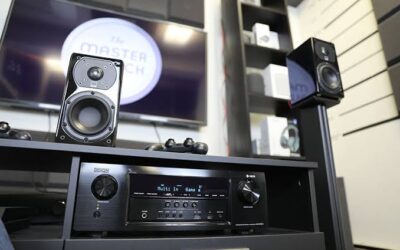
An audio receiver is an important part of many home entertainment systems. It connects speakers, televisions, gaming consoles, music players, and other devices, allowing you to enjoy clear sound from a single system. Whether you use a stereo receiver for listening to music or an AV receiver for a home theater, a technical problem can quickly interrupt your entertainment.
Receivers can develop several issues over time, including no sound, unexpected shutdowns, overheating, distorted audio, connection failures, and problems detecting connected devices. Some faults are caused by simple settings or loose cables, while others may involve internal electronic components that require professional attention.
Understanding these common problems can help you identify what might be wrong and decide whether basic troubleshooting is appropriate. This guide explains the most frequent receiver problems, their possible causes, safe troubleshooting steps, and when to consider professional receiver repair in Saskatoon.
What Does an Audio Receiver Do?
An audio receiver brings together different parts of an entertainment system. A stereo receiver typically handles two-channel audio, while an AV receiver can manage multiple speakers, video connections, and surround-sound formats.
Depending on the model, a receiver may perform several functions:
- Receive audio signals from connected devices.
- Amplify sound and send it to passive speakers.
- Switch between multiple audio or video sources.
- Process surround-sound formats.
- Connect to televisions, streaming devices, and gaming consoles.
- Provide Bluetooth, Wi-Fi, or network audio features.
Because a receiver combines several functions, a problem that appears to involve the speakers may actually originate in the receiver, source device, cables, or settings.
Identifying the source of the problem is the first step toward an effective solution.
1. Receiver Turns On but Produces No Sound
One of the most common receiver problems is a unit that powers on normally but produces no audio. The display may appear functional, yet the speakers remain silent.
Possible Causes
Several issues can prevent a receiver from producing sound:
- The wrong input source is selected.
- The volume is muted or set too low.
- Speaker cables are loose or incorrectly connected.
- The receiver is configured for the wrong speaker output.
- The connected device is not sending an audio signal.
- The receiver has entered a protective state because of a fault.
How to Troubleshoot It
Start by checking the volume, mute setting, and selected input. Confirm that the television, music player, or other source is actually playing audio.
Next, inspect accessible speaker connections while the receiver is switched off. Make sure the cables are connected to the correct terminals and that loose wire strands are not touching neighbouring terminals.
If possible, test another input source. For example, if a television produces no sound, try a compatible music player. This can help determine whether the problem is limited to one device or affects the receiver more broadly.
If there is still no sound from any source, professional diagnosis may be necessary.
2. Receiver Keeps Shutting Down
A receiver that switches itself off during playback can be frustrating. Sometimes the problem appears only when the volume is high, while in other cases the unit shuts down shortly after being switched on.
Common Reasons
Automatic shutdown can occur when a receiver detects a potentially unsafe operating condition. Possible causes include overheating, speaker wiring problems, excessive electrical load, or an internal component fault.
Some receivers display a warning message or flashing indicator when protection circuitry activates.
What You Can Do
Turn the receiver off and allow it to cool if it feels unusually hot. Check that its ventilation openings are not blocked and that it has adequate space around the cabinet.
Once the unit is switched off and disconnected from power, inspect accessible speaker cables for damage or loose strands.
Consult the user manual if the receiver displays a protection warning. Avoid repeatedly switching it on if it continues to shut down.
If the problem returns after basic checks, a technician should inspect the unit. Repeated shutdowns may indicate a fault that should not be ignored.
3. Receiver Overheating
Audio receivers can generate considerable heat, particularly when driving several speakers or operating at high volume. However, excessive heat or repeated thermal shutdowns may indicate a problem.
Why Receivers Overheat
Common contributing factors include:
- Blocked ventilation openings.
- Placement inside a tightly enclosed cabinet.
- High operating volume for extended periods.
- Speaker impedance outside the manufacturer’s recommended range.
- Poor airflow around the equipment.
- Internal electrical or component faults.
How to Reduce Heat
Place the receiver on a stable surface with the ventilation clearance recommended by the manufacturer. Do not cover its vents or place other equipment directly on top unless the manual permits it.
Avoid positioning the unit beside heaters or in direct sunlight. If your entertainment cabinet traps heat, improving ventilation may help.
If the receiver becomes unusually hot despite proper ventilation and normal use, turn it off and allow it to cool. Continued overheating should be investigated by a qualified technician.
Never open the receiver casing to inspect internal components while troubleshooting at home. Internal circuits can present electrical hazards.
4. Distorted or Crackling Audio
Distorted sound can make music harsh, unclear, or uncomfortable to listen to. You may notice crackling, buzzing, sudden changes in volume, or a lack of clarity.
The cause is not always the receiver itself.
Potential Causes
Distortion can result from excessive volume, a damaged speaker, a poor cable connection, an unsuitable audio source, or an electrical problem inside the receiver.
A receiver may also produce distorted sound if it is being asked to drive speakers beyond its capabilities.
Troubleshooting Steps
First, lower the volume and test a different audio source. If the sound improves, the original recording, application, or connected device may be responsible.
Check accessible connections with the receiver switched off. Make sure speaker wires and input cables are secure.
If the problem occurs only with one speaker, the speaker or its cable may be involved. If distortion affects several speakers and multiple sources, the receiver may need further investigation.
Avoid continuing to play audio at high volume when distortion is present. Doing so can place additional stress on speakers and other equipment.
5. One Speaker Channel Stops Working
Sometimes a receiver produces sound through the left speaker but not the right, or one channel becomes noticeably quieter than the others.
This can affect stereo music and surround-sound systems alike.
What Causes Channel Failure?
Possible causes include a loose speaker cable, an incorrectly configured speaker setting, a faulty speaker, or a problem with the receiver’s amplifier circuitry.
In surround-sound systems, the issue may also involve speaker assignments or audio-processing settings.
How to Identify the Problem
Check the receiver’s balance and speaker configuration settings first. Make sure the affected channel has not been disabled.
Turn the receiver off before checking speaker connections. If you are comfortable doing so and the equipment manual permits it, you can compare the affected speaker and cable with a known-working channel using compatible connections.
Turn everything off before moving wires, and never connect or disconnect speaker cables while the receiver is powered.
If the fault consistently remains with the same receiver channel, the unit may require professional repair.
6. HDMI and Television Connection Problems
Modern AV receivers often act as a central connection point for televisions, streaming devices, gaming consoles, and Blu-ray players. HDMI problems can therefore affect both audio and video.
You might experience a black screen, intermittent picture, missing sound, or a message indicating that no signal is detected.
Common Causes
HDMI problems may result from damaged cables, incorrect input selection, incompatible video settings, or connection-handshake issues between devices.
Sometimes the television and receiver support different audio or video formats, which can create compatibility problems.
Troubleshooting Tips
Confirm that the correct receiver input is selected and that the connected source is switched on.
Check the HDMI cable for visible damage and make sure both ends are fully inserted. If possible, test with a compatible cable that you know works.
Consult the manuals for the receiver and television when checking settings such as HDMI-CEC, ARC, or eARC. The exact options and supported features vary by model.
If the problem continues with multiple known-working cables and sources, the receiver’s HDMI circuitry or another connected device may need professional assessment.
7. Bluetooth and Wi-Fi Connectivity Issues
Receivers with wireless audio features allow you to stream music from phones, tablets, computers, and network services. However, wireless connections can occasionally become unreliable.
Common symptoms include failed pairing, frequent disconnections, interrupted music, or a receiver that does not appear in the available device list.
Possible Solutions
Check that Bluetooth is enabled on both devices and that they are within the recommended range. If the receiver is already connected to another device, disconnect it before trying again.
For network-connected receivers, confirm that the receiver and your phone or control device are using a compatible network configuration. Restarting the router or receiver may help with temporary connection problems.
Check the manufacturer’s instructions for resetting wireless settings or installing supported firmware updates.
If wireless features repeatedly fail despite following the recommended setup, the issue may involve software, network compatibility, or the receiver’s wireless hardware.
8. Receiver Produces Humming or Buzzing Sounds
A persistent hum or buzz can interfere with music and make quiet listening difficult.
Some low-level background noise may be noticeable in certain systems, but a new, loud, or persistent noise deserves investigation.
Common Sources of Humming
Potential causes include poor cable connections, electrical interference, grounding problems, or a fault in a connected device.
In some systems, a ground loop can develop when connected equipment has different electrical grounding paths. The receiver may not be the original source of the problem.
Safe Troubleshooting
Lower the volume and check whether the noise changes. Determine whether it occurs with every input or only when one device is connected.
With the receiver switched off, inspect accessible cables and make sure connections are secure.
Do not remove grounding pins from power plugs or use unsafe adapters to eliminate a hum. If the noise persists, seek qualified assistance to identify the cause safely.
9. Receiver Remote Control Is Not Working
A receiver may appear faulty when the actual problem is a remote control that no longer communicates with it.
Before arranging repairs, check the remote’s batteries and make sure they are installed in the correct direction.
Remove obstacles between the remote and the receiver’s sensor. If the receiver uses an infrared remote, bright light or a blocked sensor may sometimes interfere with operation.
Check whether the receiver’s front-panel controls work. If they do, the issue may be limited to the remote, its batteries, or the communication system.
For app-based controls, confirm that your phone and receiver meet the manufacturer’s connection requirements.
If neither the remote nor the front-panel controls work properly, further diagnosis may be needed.
10. When Does a Receiver Need Professional Repair?
Basic troubleshooting can resolve many setup and connection problems. However, persistent symptoms may indicate internal electrical or electronic faults.
Consider professional repair if your receiver:
- Repeatedly shuts down despite adequate ventilation.
- Produces no sound across multiple inputs.
- Has one or more consistently failed channels.
- Overheats during normal operation.
- Makes unusual electrical noises or produces a burning smell.
- Has damaged ports or connections.
- Stops working after a power surge.
- Continues to malfunction after basic checks.
If you notice smoke, a burning smell, liquid damage, or signs of electrical failure, switch off the unit if it is safe to do so and disconnect power without touching damaged wiring. Do not use the receiver again until it has been inspected.
Internal repairs can involve hazardous voltages and components that may retain an electrical charge after the equipment has been unplugged. Opening the casing is not a suitable DIY troubleshooting step for inexperienced users.
For homeowners exploring Audio repair Saskatoon, professional assessment can help identify whether the problem comes from the receiver or another component in the entertainment system.
11. How to Prevent Future Receiver Problems
Regular care can help reduce the likelihood of common receiver faults and extend the useful life of your equipment.
Provide proper ventilation: Leave the clearance recommended by the manufacturer and keep vents free from dust and obstructions.
Use compatible speakers: Check the receiver’s supported speaker impedance and power specifications before connecting new speakers.
Keep connections secure: Inspect accessible cables occasionally for looseness or visible damage.
Control the volume: Avoid prolonged listening at levels that cause distortion or make the receiver unusually hot.
Protect equipment from moisture: Keep drinks away from the receiver and avoid placing it in damp areas.
Use safe power protection: Follow the manufacturer’s electrical requirements and consider suitable surge protection where appropriate.
Keep software updated: For network-connected models, install supported firmware updates according to the manufacturer’s instructions.
Clean carefully: Switch off and unplug the receiver before cleaning its exterior. Use a soft, dry cloth and prevent liquids from entering ventilation openings.
Follow the user manual: Manufacturer instructions provide model-specific guidance for connections, settings, ventilation, and troubleshooting.
Conclusion
Audio receivers are complex devices, but many common problems can be traced to simple causes such as incorrect settings, loose cables, blocked ventilation, or connection issues. Checking these factors carefully can help you identify a problem without making unnecessary changes to your equipment.
However, repeated shutdowns, overheating, failed speaker channels, electrical noises, and persistent loss of sound may indicate a more serious fault. Avoid opening the receiver or attempting internal electrical repairs unless you have the appropriate training and equipment.
By maintaining good ventilation, using compatible speakers, keeping connections secure, and following the manufacturer’s instructions, you can help your receiver deliver reliable performance for years to come.
If basic troubleshooting does not resolve the issue, professional diagnosis may help you determine the safest and most practical next step.
Frequently Asked Questions
1. Why does my audio receiver turn on but produce no sound?
The receiver may be muted, set to the wrong input, connected incorrectly, or unable to receive an audio signal. If these basic checks do not help, an internal fault may require professional diagnosis.
2. Why does my receiver keep shutting off?
Repeated shutdowns may be caused by overheating, speaker wiring problems, an incompatible load, or internal faults. Check ventilation and accessible connections, then consult the user manual if the issue continues.
3. Is it normal for an audio receiver to get hot?
Some warmth is normal during operation. Excessive heat, repeated thermal shutdowns, or unusual smells are warning signs that should be investigated.
4. What causes crackling or distorted sound from a receiver?
Possible causes include excessive volume, poor cable connections, damaged speakers, unsuitable source audio, or internal electronic problems. Test another source and check accessible connections with the receiver switched off.
5. Why is one speaker not working with my receiver?
The problem could involve the speaker cable, speaker itself, channel settings, or the receiver’s amplifier circuitry. Check the configuration and connections before considering professional repair.
6. Can a faulty HDMI cable affect my receiver?
Yes. A damaged or incompatible HDMI cable can cause missing audio, an intermittent picture, or no signal. Testing a known-working compatible cable may help identify the cause.
7. Why does my receiver make a humming noise?
Humming can result from electrical interference, poor connections, grounding issues, or a connected device. Avoid unsafe grounding modifications and seek professional help if the cause is unclear.
8. Can I repair an audio receiver myself?
You can safely check basic settings, ventilation, and accessible connections. Internal electrical repairs are more hazardous and should be handled by a qualified technician.
9. How can I make my audio receiver last longer?
Provide adequate ventilation, use compatible speakers, keep the equipment dry and clean, avoid prolonged distortion, and follow the manufacturer’s maintenance instructions.
10. When should I seek receiver repair in Saskatoon?
Consider professional assistance if your receiver repeatedly shuts down, overheats, loses a channel, produces persistent distortion, or stops working after a power surge.
SEO Details
SEO Title: Receiver Repair: Common Issues Explained
Meta Description: Learn about common audio receiver problems, including no sound, overheating, shutdowns, HDMI issues, and safe troubleshooting tips.
URL Slug: receiver-repair-common-issues-explained
Target Keyword: Audio repair Saskatoon
Target Location: Saskatoon, Saskatchewan, Canada
Refine the receiver repair article