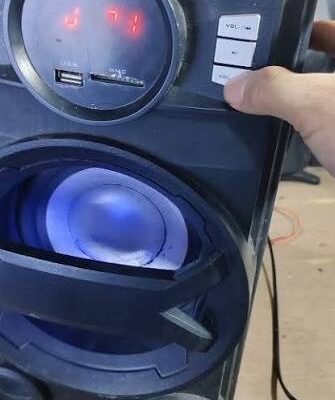
A subwoofer is an important part of a home audio system because it reproduces low-frequency sounds that regular speakers may struggle to deliver. From deep movie explosions to the powerful beats in your favourite songs, a properly working subwoofer adds depth and impact to your listening experience.
However, sometimes a subwoofer stops producing bass even though the power light is on and the rest of the sound system appears to work normally. In other cases, the bass becomes weak, cuts in and out, or disappears completely.
These problems can result from incorrect settings, loose cables, audio source issues, wireless connection problems, or a fault inside the subwoofer itself. Fortunately, several common causes can be checked safely before considering professional repair.
This guide explains why your subwoofer may not be producing bass, how to troubleshoot common problems, and when to seek professional assistance in Saskatoon.
1. Check the Subwoofer’s Power Supply
Before investigating complicated causes, make sure the subwoofer is receiving power correctly.
An active subwoofer contains its own amplifier and needs electricity to operate. If it is switched off or does not receive power, it cannot produce bass.
Signs of a Power Problem
You may notice that:
- The power indicator does not illuminate.
- The subwoofer does not respond to its controls.
- The unit switches off unexpectedly.
- The subwoofer powers on but produces no sound.
How to Troubleshoot It
Check that the power cable is firmly connected to the subwoofer and the wall outlet. If the outlet has a switch, make sure it is turned on.
You can test the outlet with another suitable device to confirm that it works. If the subwoofer has a physical power switch, check its position.
Some models include an automatic standby feature that activates when no audio signal is detected. Consult the user manual to learn how this feature works and whether the unit has a manual power mode.
If the power light remains off despite a working outlet and properly connected cable, the problem may involve the power supply or another internal component.
Do not open the casing to investigate electrical parts. Unplug the unit and seek professional assistance if you suspect an internal power fault.
2. Check the Subwoofer Volume and Settings
Sometimes the subwoofer is working correctly, but its output level is too low to notice.
Modern receivers and home theater systems often provide separate controls for subwoofer volume, speaker balance, crossover frequency, and bass management. Incorrect settings can significantly reduce low-frequency output.
Adjust the Subwoofer Level
Check the subwoofer’s own volume control, if available. Then inspect the receiver or sound system’s speaker settings.
Make sure the subwoofer has not been disabled and that its output level is set appropriately.
Avoid turning the volume to maximum immediately. Increase it gradually while playing familiar audio at a moderate listening level.
Check the Crossover Frequency
The crossover determines which frequencies are sent to the subwoofer and which are handled by the main speakers.
If the crossover is set incorrectly, the subwoofer may receive too little audio content or create an uneven transition between speakers.
The correct setting depends on your speakers, receiver, and room setup. Follow the manufacturer’s recommendations instead of relying on one universal value.
Also check whether a listening mode, equaliser, or bass-management setting is reducing low frequencies.
3. Inspect the Audio Cables and Connections
Loose or incorrectly connected cables are common reasons a subwoofer produces little or no bass.
Many active subwoofers connect to an AV receiver through a dedicated subwoofer or LFE output. Other models use different input arrangements, including speaker-level connections.
Common Connection Problems
The cable may be:
- Connected to the wrong receiver output.
- Loose at either end.
- Damaged internally.
- Incompatible with the intended connection.
- Connected to an output that does not carry the expected signal.
How to Check the Connections
Turn off the receiver and subwoofer before disconnecting or reconnecting cables.
Check that the cable is firmly seated in the appropriate output and input. Look for obvious damage, bent connectors, or signs of wear.
If possible, test with a known-working compatible cable. This can help determine whether the original cable is responsible.
After reconnecting everything, turn the equipment on and play audio with noticeable low-frequency content.
If the subwoofer still produces no bass, the problem may involve the receiver’s output, the subwoofer’s input circuitry, or another part of the system.
4. Make Sure the Audio Source Contains Bass
Not every recording contains strong low-frequency sounds. Some television programmes, music tracks, and online videos have relatively little bass, especially when played through a system with different audio settings.
Before assuming the subwoofer is broken, test it with a source that you know contains low-frequency content.
Try a familiar music track or a movie scene with a clear bass component. Keep the volume at a moderate level.
If the subwoofer works with one source but not another, the issue may be related to the content, playback application, connected device, or audio format.
Check the Receiver’s Audio Mode
Some receivers offer stereo, surround, direct, and other listening modes. Depending on the model, these modes may handle low frequencies differently.
Check the receiver’s manual to understand how its selected mode affects subwoofer output.
If your system includes a subwoofer test function, you can also use it according to the manufacturer’s instructions.
Testing more than one source helps separate a content or settings problem from a possible hardware fault.
5. Check the Receiver’s Speaker Configuration
A home theater receiver needs to know which speakers are connected to the system. If the subwoofer setting is incorrect, the receiver may not send the expected low-frequency signal.
For example, a receiver configured without a subwoofer may direct bass information to the main speakers instead.
Review the Speaker Settings
Open the receiver’s speaker setup menu and confirm that the subwoofer is enabled.
Check the main speaker configuration and bass-management options. The available settings vary between manufacturers and models.
If your system uses automatic speaker calibration, check whether the setup process detected the subwoofer correctly.
You may need to repeat the calibration if the speaker arrangement or connections have changed.
Avoid changing several settings at once. Adjust one setting, test the system, and record the original values so you can restore them if needed.
If the receiver cannot detect a correctly connected subwoofer, the fault may be related to the cable, output connection, settings, or subwoofer electronics.
6. Wireless Subwoofer Connection Problems
Some soundbars and home theater systems use wireless subwoofers. These models can reduce cable clutter, but they depend on a working wireless link between the main unit and the subwoofer.
If the connection fails, the soundbar may continue playing while the subwoofer produces no bass.
Common Wireless Issues
Possible causes include:
- The subwoofer has lost its pairing.
- The wireless transmitter is not communicating correctly.
- The devices are positioned too far apart.
- Nearby electronics are causing interference.
- The subwoofer has entered standby mode.
- A software or hardware problem is preventing connection.
How to Restore the Connection
First, check the power supply and status indicators on both devices. Consult the user manual to understand what the lights mean.
Follow the manufacturer’s pairing procedure if the subwoofer has become disconnected. Some systems require a specific button sequence, while others reconnect automatically.
Move the subwoofer closer to the main unit temporarily to see whether distance or interference is affecting the connection.
If the devices still fail to pair, avoid repeatedly resetting them without checking the instructions. Persistent connection failures may require further diagnosis.
7. The Subwoofer Is Producing Weak or Distorted Bass
Sometimes bass is present but sounds unusually weak, muddy, rattling, or distorted.
These symptoms may result from incorrect settings, poor placement, excessive volume, damaged components, or acoustic problems in the room.
Check the Volume Level
Playing a subwoofer at excessive volume can cause distortion, especially when the amplifier or driver reaches its operating limits.
Reduce the volume and test the system again. If the sound improves, adjust the level to a setting that produces clean bass without rattling or harshness.
Consider Room Placement
Bass frequencies interact strongly with room dimensions, walls, and furniture. Depending on where the subwoofer is placed, certain bass frequencies may sound much weaker at your listening position.
Try moving the subwoofer to another suitable location, following the manufacturer’s placement guidance. Test from your usual listening position before deciding whether the equipment is faulty.
Do not place the unit where its ventilation openings are blocked or where it could be knocked over.
Listen for Mechanical Noise
Rattling, scraping, or buzzing may indicate a loose external panel, a vibrating object nearby, or a problem with the speaker driver.
Check for loose objects around the subwoofer and inspect its exterior for visible damage.
If the noise comes from inside the unit, stop playing audio at high volume. A damaged driver or internal component may require professional attention.
8. Could the Subwoofer Speaker Driver Be Damaged?
The driver is the component that physically moves air to produce sound. If it becomes damaged, the subwoofer may produce little bass, distort at normal volume, or stop working entirely.
Possible Warning Signs
A damaged driver may cause:
- Weak or missing bass.
- Rattling during low-frequency playback.
- Scraping or buzzing noises.
- Distortion at ordinary listening levels.
- Visible damage to the cone or surrounding suspension.
However, these symptoms do not always confirm a damaged driver. Incorrect amplifier output, loose components, or a faulty cable can produce similar problems.
What Should You Do?
Switch off the equipment and inspect the exterior without removing the driver or opening the enclosure.
Avoid pressing the speaker cone, inserting objects through the grille, or attempting to straighten damaged parts. These actions can make the problem worse.
If the driver appears damaged or produces persistent mechanical noise, a technician can determine whether it needs repair or replacement.
9. Internal Amplifier or Power Supply Failure
Active subwoofers contain electronic components that power and control the speaker driver. If the amplifier or power supply develops a fault, the unit may receive an audio signal without producing sound.
Possible symptoms include a power light that works despite no bass output, unexpected shutdowns, excessive heat, or intermittent operation.
Electrical surges, component ageing, overheating, and other internal problems can contribute to these faults.
If you suspect an internal issue, disconnect the subwoofer from power and stop using it if it smells burnt, produces smoke, or behaves unusually.
Never open the enclosure to inspect internal circuitry. Electronic components can present an electric shock hazard, including after the equipment has been unplugged.
Professional diagnosis can help determine whether the fault involves the amplifier, power supply, input circuitry, or another component.
For homeowners exploring Audio repair Saskatoon, professional assessment may help identify the cause when ordinary troubleshooting does not restore bass output.
10. When Should You Seek Professional Subwoofer Repair?
Basic checks can resolve many subwoofer problems, but persistent faults may require specialist tools and experience.
Consider professional assistance if:
- The subwoofer receives power but produces no sound from any source.
- The bass remains weak despite correct settings and connections.
- The unit repeatedly switches off.
- You hear scraping, rattling, or unusual internal noises.
- The subwoofer has suffered liquid or physical damage.
- The wireless connection repeatedly fails despite correct pairing.
- The unit overheats or produces a burning smell.
- You suspect an amplifier, power supply, or driver failure.
Before requesting assistance, note the subwoofer’s brand and model, the symptoms you have noticed, and any troubleshooting steps you have tried. This information can make the initial assessment more efficient.
It is also useful to explain whether the problem occurs continuously or only at certain volume levels, with specific sources, or after the equipment has been running for a while.
11. How to Prevent Future Subwoofer Problems
Regular maintenance can help keep your subwoofer working reliably and reduce avoidable faults.
Provide adequate ventilation: Keep ventilation openings clear and follow the manufacturer’s placement instructions.
Use appropriate volume levels: Avoid prolonged playback that causes obvious distortion or excessive heat.
Check connections periodically: Inspect accessible cables for looseness, damage, or wear.
Keep the unit dry: Protect it from spills, leaks, and damp environments.
Avoid physical impacts: Position the subwoofer where it will not be kicked, knocked over, or struck by furniture.
Keep dust under control: Clean the exterior with a soft, dry cloth when the equipment is switched off.
Use compatible equipment: Follow the manufacturer’s instructions for receiver outputs, speaker connections, and audio settings.
Update supported software: If your system uses wireless connectivity or firmware updates, follow the manufacturer’s instructions.
Investigate unusual symptoms early: Weak bass, repeated shutdowns, or new mechanical noises should not be ignored.
These habits cannot prevent every hardware failure, but they can help protect the equipment and make problems easier to identify.
Conclusion
A subwoofer that stops producing bass can have several possible causes, ranging from simple settings mistakes to damaged cables, wireless connection failures, driver problems, or internal electronic faults.
Start with the basics: check power, volume, input selection, receiver settings, and accessible connections. Test a familiar audio source and make sure the receiver is configured to send low-frequency signals to the subwoofer.
If the bass remains missing, the unit overheats, or you hear unusual internal noises, stop troubleshooting and consider professional assessment. Avoid opening the enclosure or attempting internal electrical repairs yourself.
With suitable placement, correct settings, and regular maintenance, you can help your subwoofer deliver clear, powerful bass for music, films, and gaming.
Frequently Asked Questions
1. Why is my subwoofer not producing any bass?
Common causes include a disconnected power supply, incorrect receiver settings, loose cables, a missing audio signal, wireless pairing problems, or an internal fault. Check the basic connections and settings first.
2. Why is my subwoofer powered on but producing no sound?
The power indicator only confirms that part of the unit is receiving power. The audio cable, receiver output, input settings, amplifier, or driver may still have a problem.
3. Can incorrect receiver settings stop a subwoofer from working?
Yes. If the receiver’s speaker configuration disables the subwoofer or directs bass elsewhere, the subwoofer may receive little or no audio signal.
4. Why does my subwoofer produce weak bass?
Weak bass can result from a low output setting, incorrect crossover configuration, poor room placement, an audio source with limited low frequencies, or a hardware problem.
5. Why does my wireless subwoofer keep disconnecting?
Possible causes include failed pairing, wireless interference, excessive distance between devices, power problems, or a hardware fault. Follow the manufacturer’s reconnection procedure.
6. How can I tell if my subwoofer driver is damaged?
Warning signs include persistent distortion, scraping noises, rattling, or weak bass despite correct settings. A technician can confirm whether the driver is damaged or another component is responsible.
7. Can a faulty cable cause a subwoofer to stop producing bass?
Yes. A loose, damaged, or incorrectly connected cable may prevent the audio signal from reaching the subwoofer. Testing a compatible cable can help identify the issue.
8. Is it safe to repair a subwoofer at home?
You can check settings, inspect accessible cables, and improve ventilation. Internal amplifier and power supply repairs should be left to qualified professionals because of electrical hazards.
9. Why does my subwoofer make a rattling sound?
Rattling may come from loose objects, a vibrating enclosure, a damaged driver, or an internal component. Reduce the volume and investigate safely before continuing playback.
10. When should I contact a subwoofer repair service in Saskatoon?
Seek professional help if the subwoofer produces no sound after basic checks, repeatedly shuts down, overheats, makes unusual internal noises, or appears to have electrical or driver damage.
SEO Details
SEO Title: Subwoofer Not Producing Bass? Common Causes and Fixes
Meta Description: Is your subwoofer not producing bass? Learn common causes, safe troubleshooting steps, connection fixes, and when to seek professional audio repair.
URL Slug: subwoofer-not-producing-bass-causes-fixes
Target Keyword: Audio repair Saskatoon
Target Location: Saskatoon, Saskatchewan, Canada
For the subwoofer article